For small business owners

Know where your business stands. Every day.

Send invoices, pay bills, bring in your bank statements and read your reports in one place, and give your accountant the same record. It's free, and no card is needed.

Free. No card needed. Accountant or bookkeeper? Start through the accountant door. Email support@qetaab.com.

Dashboard
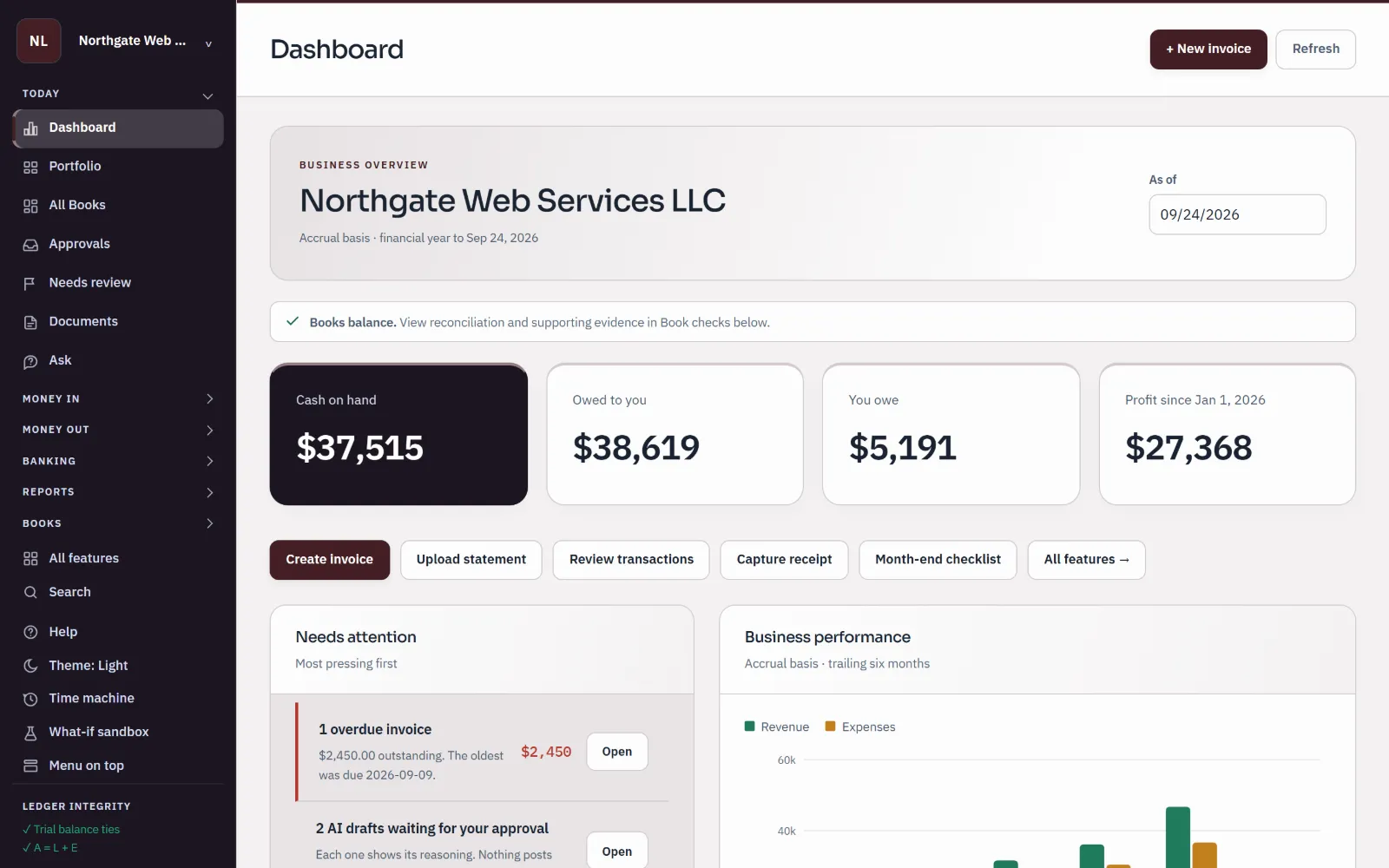
Sample books for Northgate Web Services LLC: the dashboard shows cash on hand, what customers owe, what the business owes, profit for the year and a list of things needing attention.
Sample company · synthetic figures
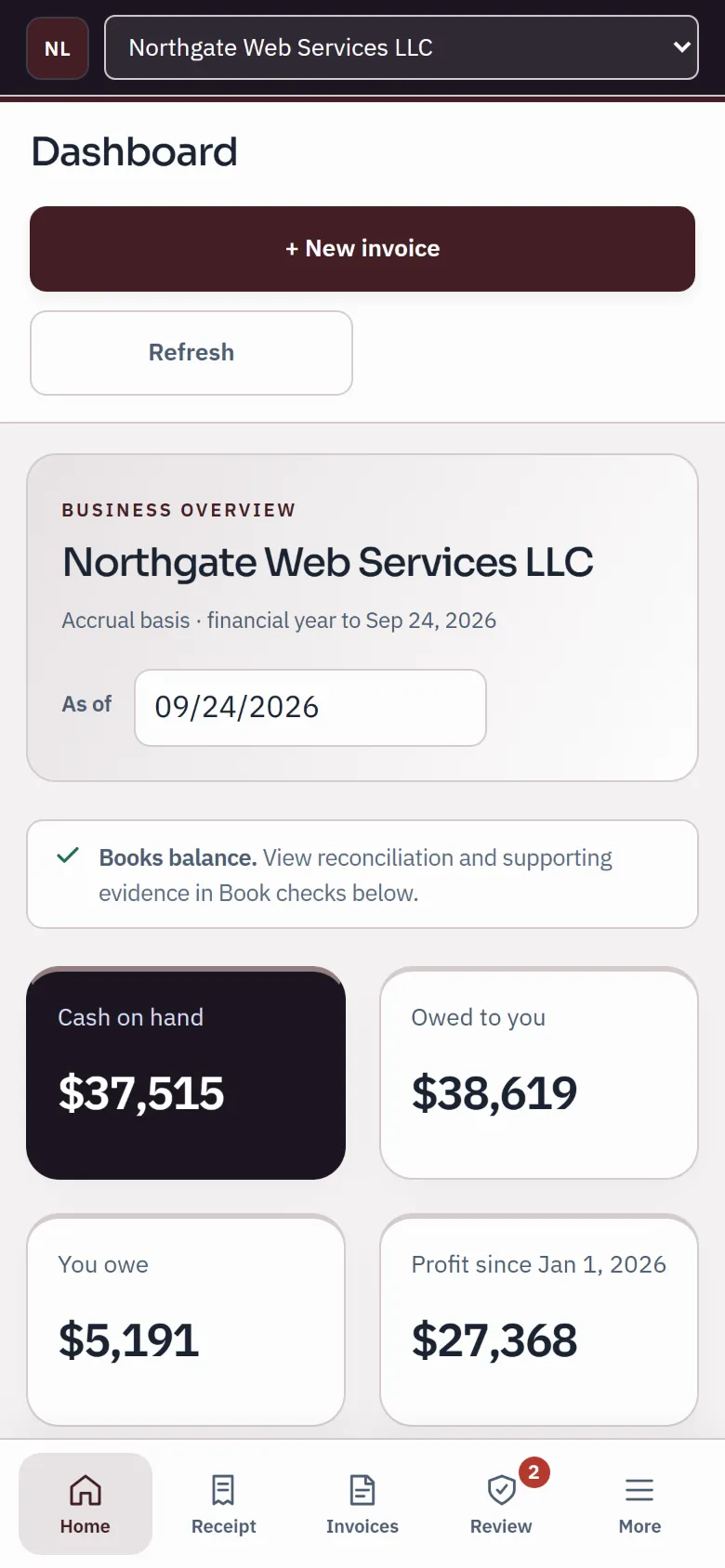
The sample dashboard on a phone: cash on hand, owed to you, you owe and profit, with the phone task bar.
Sample company · synthetic figures

What changes

Your books, clear enough to act on.

  1. 01

    See who owes you, and how much.

    Invoices show open, part-paid, overdue and paid at a glance, and each payment lands on the invoice it pays.

  2. 02

    Match the bank to the books.

    Import the statement file your bank gives you, review each line, and reconcile until the difference is $0.00.

  3. 03

    Read your profit without waiting for month-end.

    Profit and loss, balance sheet and cash flow whenever you want them, and any figure opens to the entries behind it.

  4. 04

    Hand your accountant the same record.

    On every plan, Free included, invite them with their own sign-in and role. Nothing is emailed back and forth, and you can remove their access at any time.

A week in your books

The jobs that keep a business running, in one place.

Real screens from a sample company. Each job links to the step-by-step guide.

Monday · Sell and get paid

Invoices with your name on them

Design the invoice with your logo, add sales tax from each customer's default rate, and send it as a PDF or a view link. When a customer pays part or all of it, record the payment and the invoice shows what is still due.

  • Your logo on every invoice and statement; no Qetaab branding on them
  • Sales tax rates you set, per customer and per invoice
  • Download a PDF or copy a view link at any time
Create and review invoices
Invoices
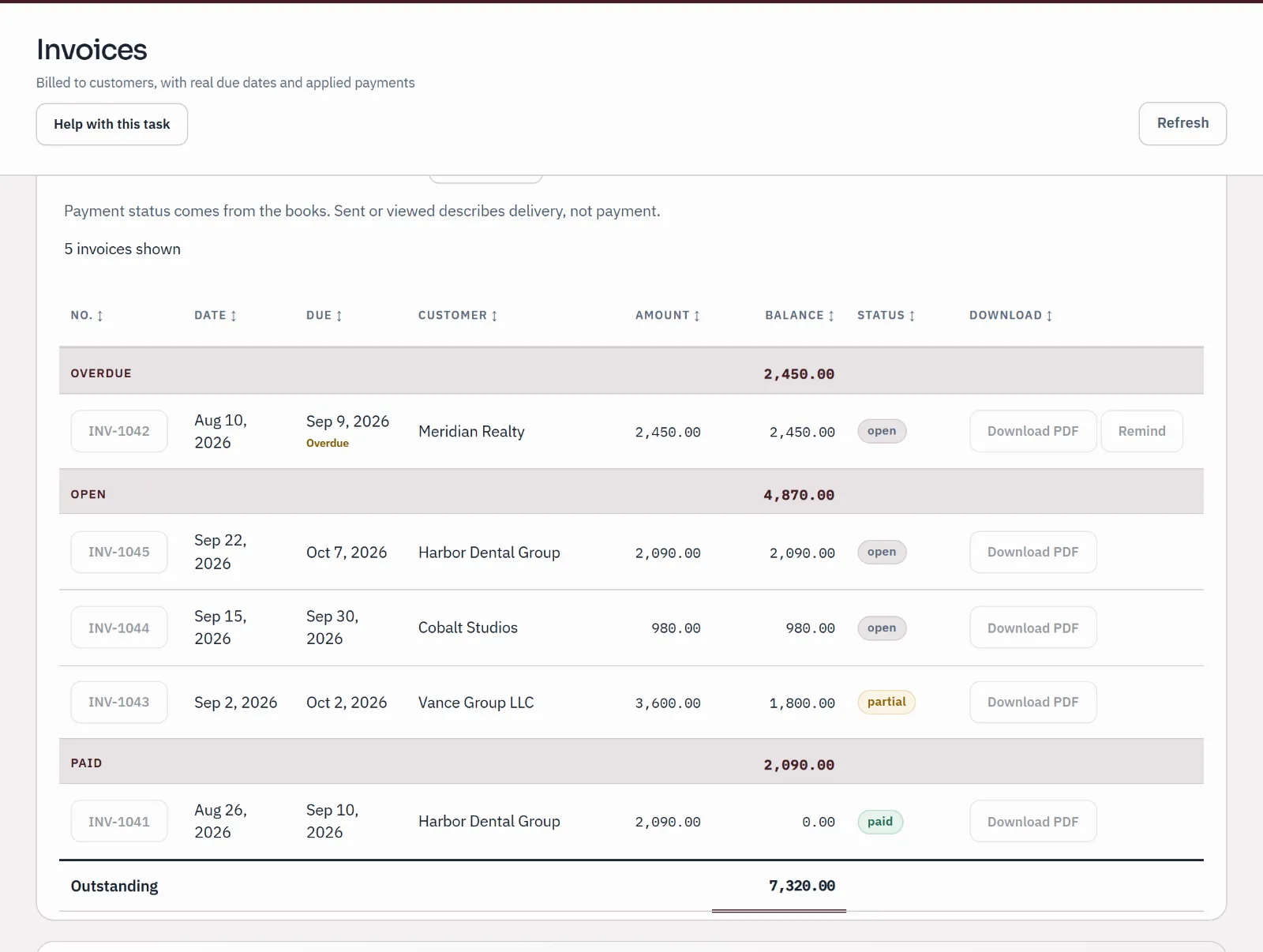
Sample invoices list: one overdue invoice, three open including one part-paid, and one paid, each with its amount and remaining balance.
Sample company · synthetic figuresOverdue, open, part-paid and paid, each with the balance still due.

Wednesday · Bills and checks

Know what you owe, and pay it on time

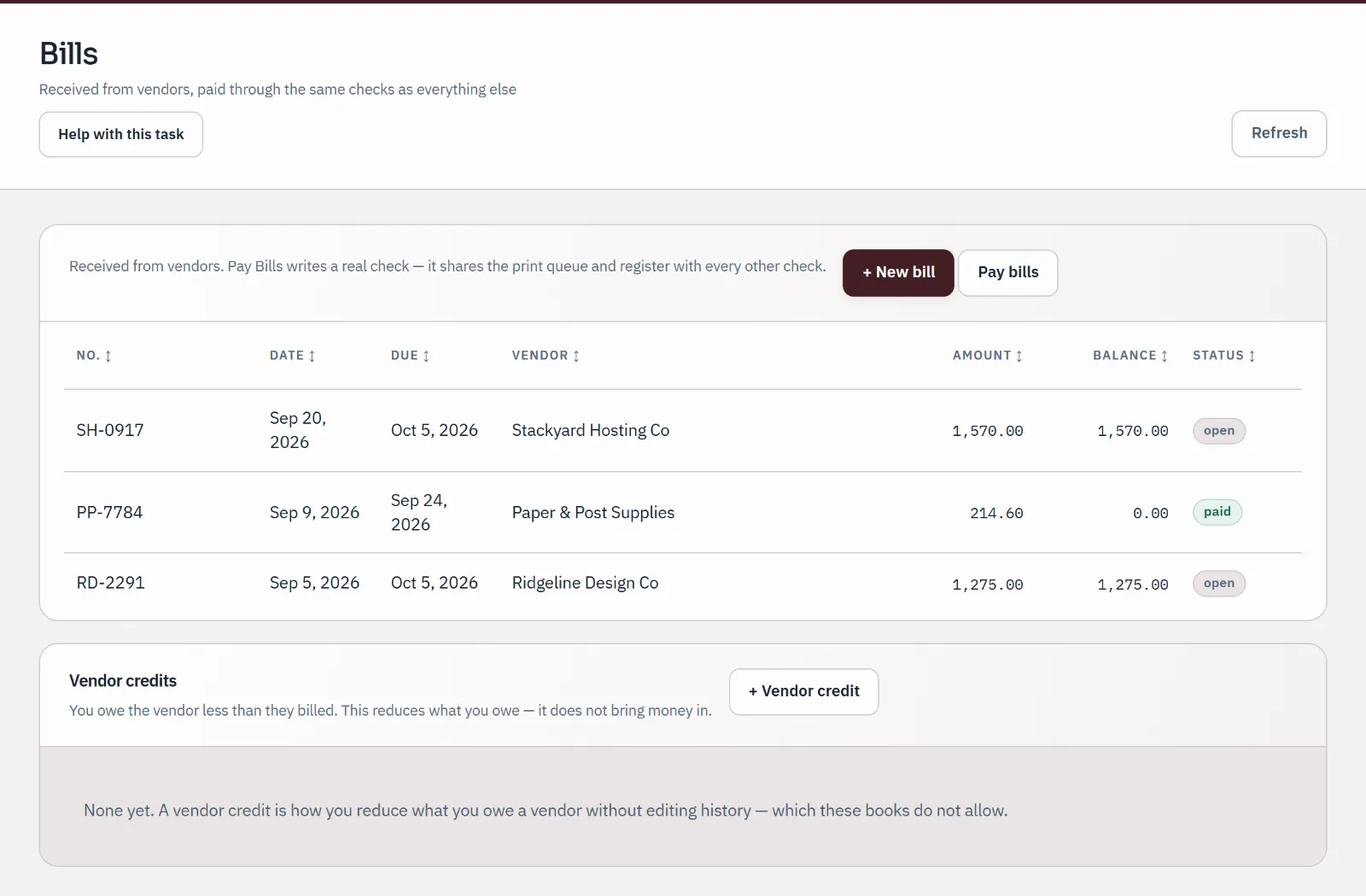
Enter supplier bills as they arrive, see what is due, and pay by check from the bank account you choose. Check printing is included: print on your own check stock and the numbers are recorded for you.

  • Bills listed by due date with what is still owed
  • Pay several bills from one vendor in one go
  • Attach the bill's PDF or a photo of the receipt to the entry
Record bills and payments
Bills
Sample bills list from three suppliers: two open and one paid, with amounts, due dates and balances.
Sample company · synthetic figuresOpen and paid supplier bills with due dates and balances.

Thursday · The bank

Bring in the statement. Review every line.

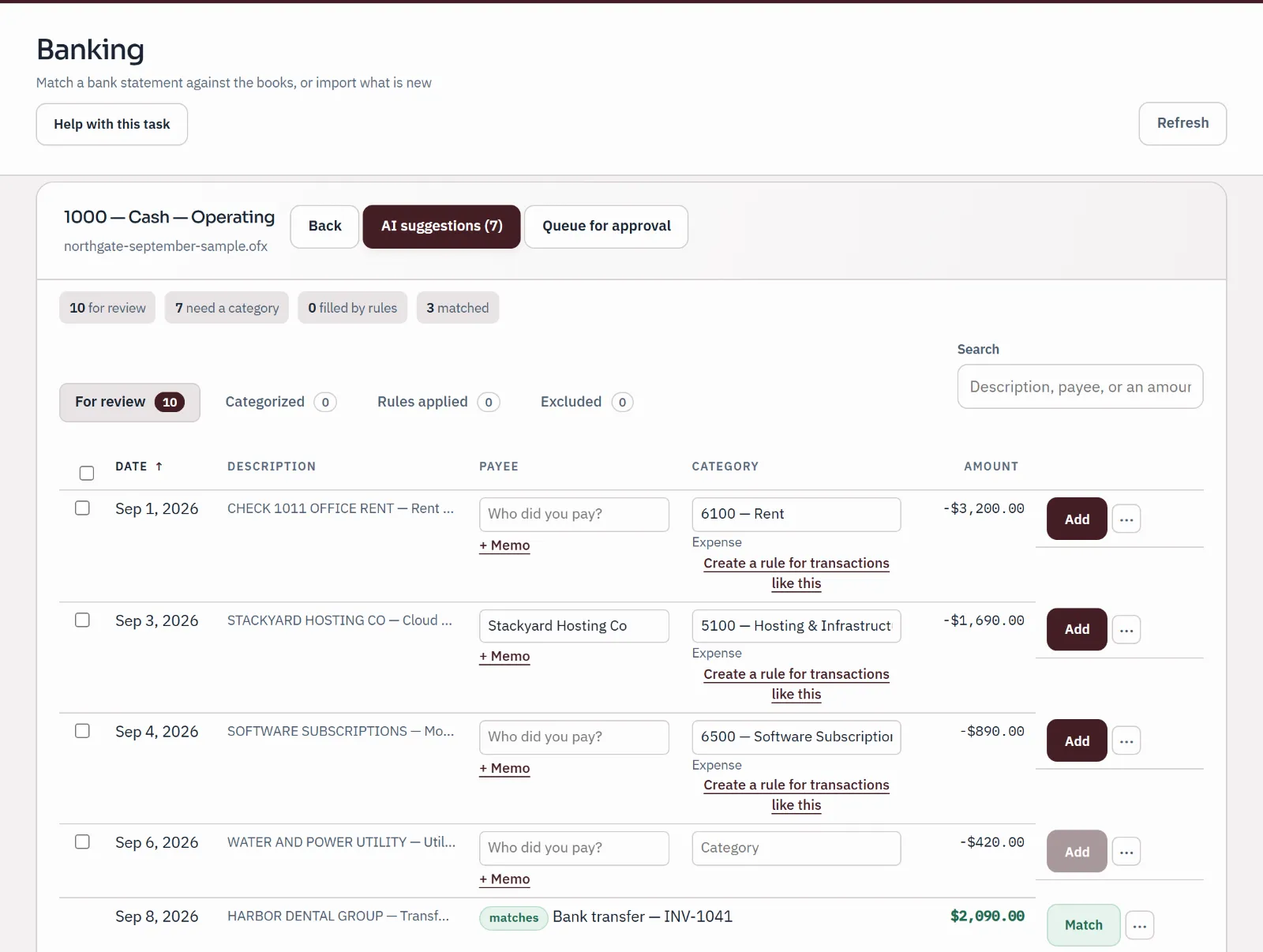
Upload the statement file from your bank (CSV, OFX, QFX or QBO). Qetaab matches lines to entries already in your books, blocks a line it has already imported for that account, and lets you categorise the rest, with rules you preview before they run.

  • A line already in the books is matched, never booked twice
  • Rules you can preview, and switch to review-first
  • Undo a categorised line: the entry is reversed, not deleted
Import a statement
Bank import
Sample bank statement import under review: ten statement lines, three matched to entries already in the books, three given a category by a person and the rest still waiting.
Sample company · synthetic figuresTen statement lines: three matched, three categorised by a person, the rest waiting.

Friday · Reconcile

Finish when the difference is $0.00

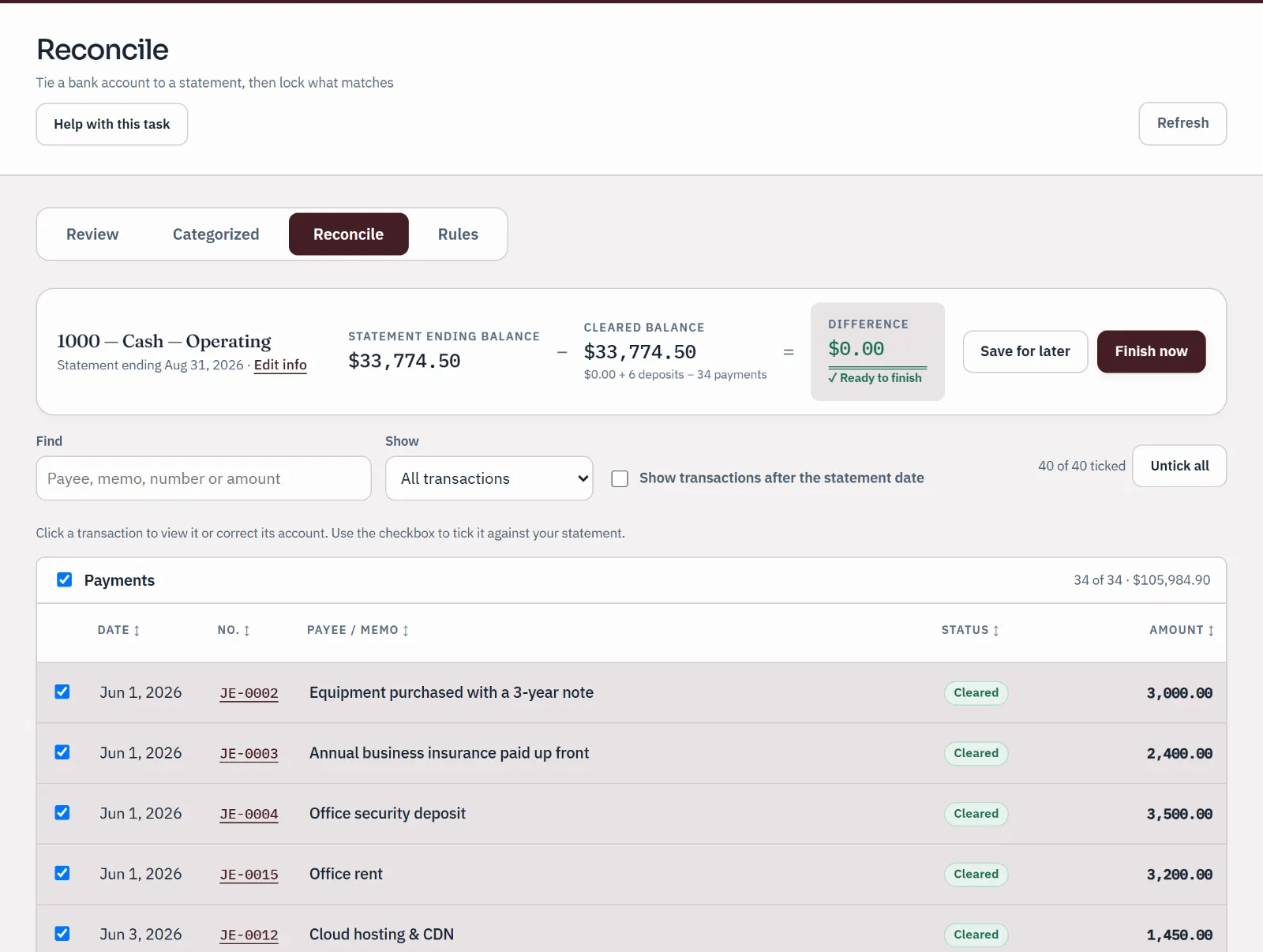
Enter the ending balance printed on your statement, tick off the lines that cleared, and finish only when the books and the statement agree. The reconciliation is recorded, and month-end shows which accounts are done.

Reconcile a bank account
Reconcile
Sample bank reconciliation for the operating account to a statement ending August 31: statement balance and cleared balance agree, difference $0.00, ready to finish.
Sample company · synthetic figuresStatement balance and cleared balance agree: difference $0.00.

Any day · Reports

Profit, cash and what you own, on demand

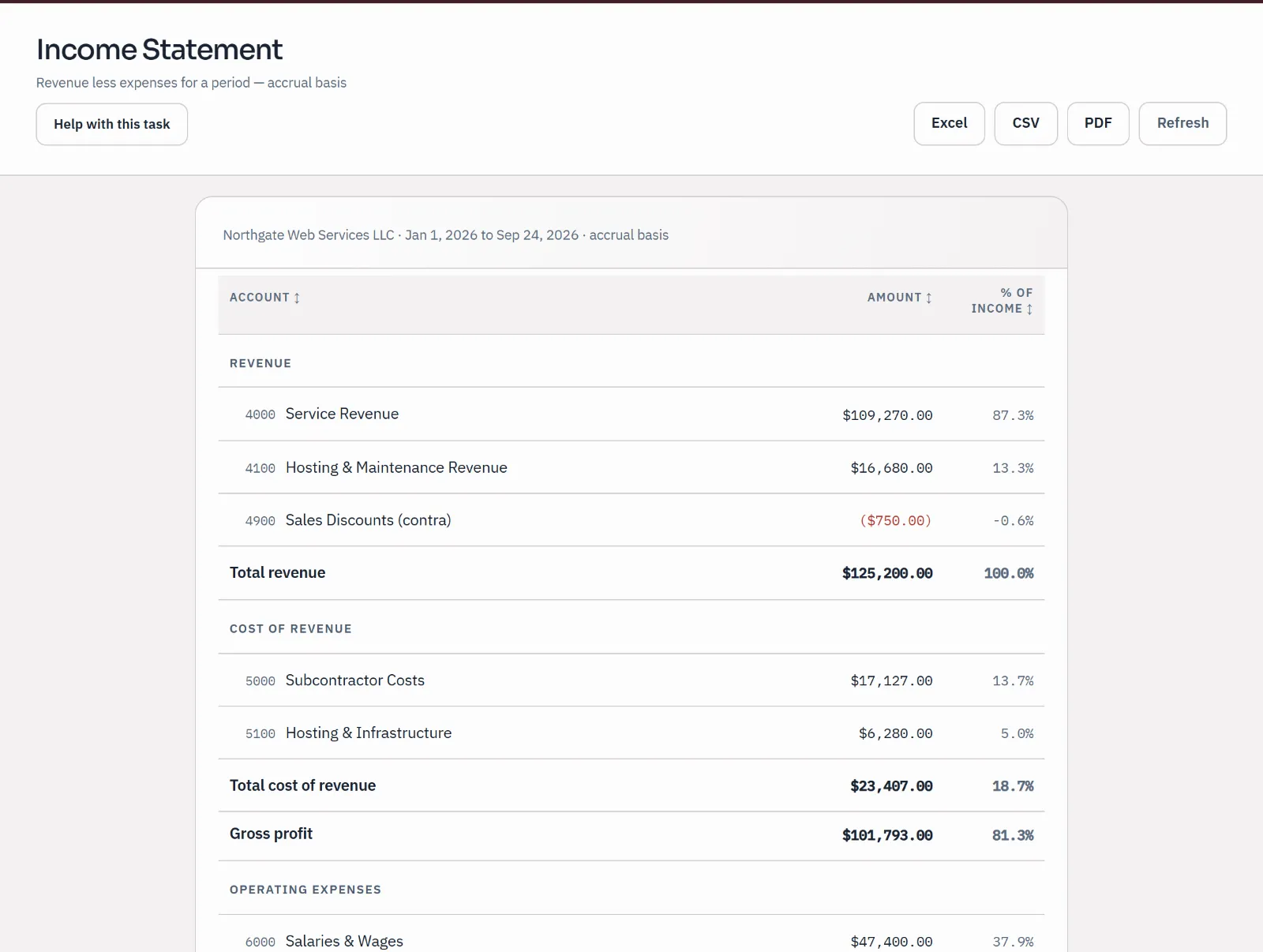
Run the profit and loss, balance sheet, cash flow and trial balance for any dates, compare periods or months side by side, and export to PDF, Excel or CSV. Choose any account on a report and the ledger opens on the entries behind it.

See every report
Profit and loss
Sample income statement for January 1 to September 24, 2026: revenue, cost of revenue and gross profit, with each line as a share of income.
Sample company · synthetic figuresRevenue, cost of revenue and gross profit, each as a share of income.

In every plan

Everything a small business needs. No add-ons to find.

Invoices, bills, reports, reconciliation, checks and inventory are in every plan, including the free one.

Emailing invoices from Qetaab and AI category suggestions depend on outside services and your plan's allowance; downloading and sharing invoices always works. Live bank feeds through Plaid are on the paid plans; on Free, import statement files.

Working with an accountant

Your accountant works in your books.

Not in a copy you email over at year-end. You decide who comes in and what they can do.

  • Invite them in

    On every plan, Free included, your accountant's practice gets access to your books; remove it at any time and your records stay with you.

  • Nothing posts unseen

    Suggested entries wait as drafts, with the reason they were prepared, until a person approves them.

  • Corrections keep their history

    Posted entries are never edited or deleted. A correction is a new entry, and both stay on the record.

What Qetaab gives your accountant

Pricing

Start free. Add live bank feeds and AI when you want them.

Free covers your books, your people and your accountant, with no card needed. Plus, at $10 a month, adds live bank feeds and AI.

  • Free Usually fits

    FreeNo card needed

    For a business owner, or an accountant and every client.

    Unlimited businesses and people. Your accountant included.

  • Plus

    $10 a monthor $100 a year

    Live bank feeds and AI for your business.

    Live bank accounts: 3 included. AI: 300 a month.

  • Practice

    $50 a monthor $500 a year

    Live bank feeds and AI across a practice and its clients.

    Live bank accounts: 25 included. AI: 3,000 a month.

Every limit and the payment terms

Paid checkout isn't open during the pilot.

Plain answers

Questions owners ask before they switch.

Do I need to know accounting?

No. Invoices, bills and bank lines are entered the way you think about them, and Qetaab writes the double entry behind each one. When you want to see it, any figure opens to its entries. Your accountant can review everything in the same books.

Does Qetaab connect to my bank?

On the paid plans, yes: connect a bank or card account through Plaid and its transactions arrive for review on their own (3 included on Plus, 25 included on Practice). On Free, download a statement file from your bank (CSV, OFX, QFX or QBO) and import it. Either way, nothing posts until you review it.

Can customers pay my invoices online?

Not through Qetaab yet. Send the invoice as a PDF or a view link and record the payment when it arrives. Online payment depends on a payment service that is not live in the pilot.

Can I bring my books from another accounting system?

You bring them as files you export, and Qetaab shows what would come in before anything is added. How far that goes today depends on the program. See what Qetaab includes and email support@qetaab.com before you plan the move.

What if I stop paying?

Free has nothing to pay. If a paid plan ends, or a trial from before Qetaab was free ends without payment, the account moves to Free: the same books, without live bank feeds or AI, and nothing is deleted. The pricing page has the exact terms.