Connections

Connect your tools. Keep the approval.

Sales channels, banks and cards, your own programs through the API, and AI assistants when they open. Every connection reads into Qetaab; nothing it brings in posts until a person approves it.

Free. No card needed. Accountant or bookkeeper? Start through the accountant door.

Bank import
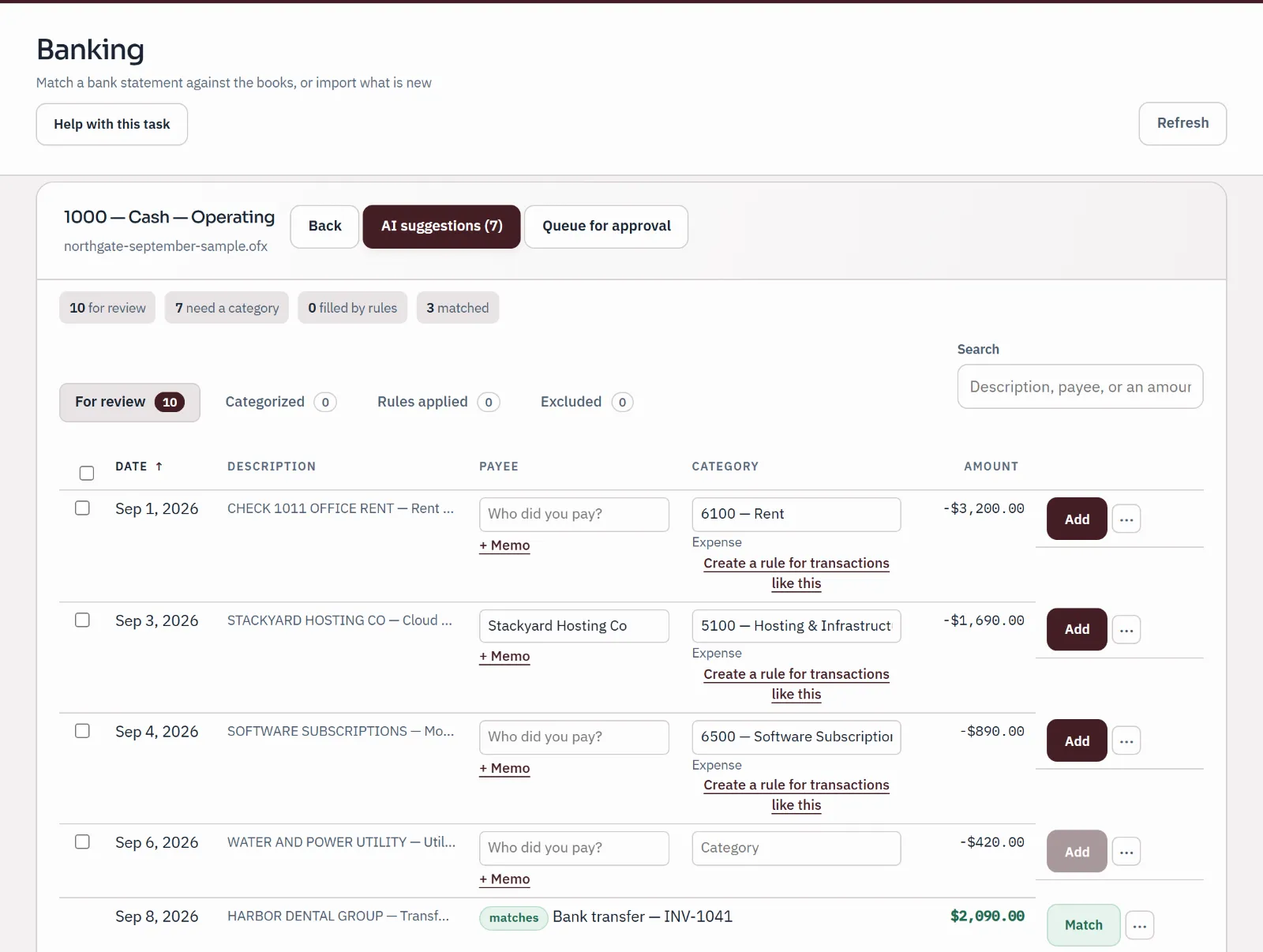
Sample bank statement import under review: ten statement lines, three matched to entries already in the books, three given a category by a person and the rest still waiting.
Sample company · synthetic figures
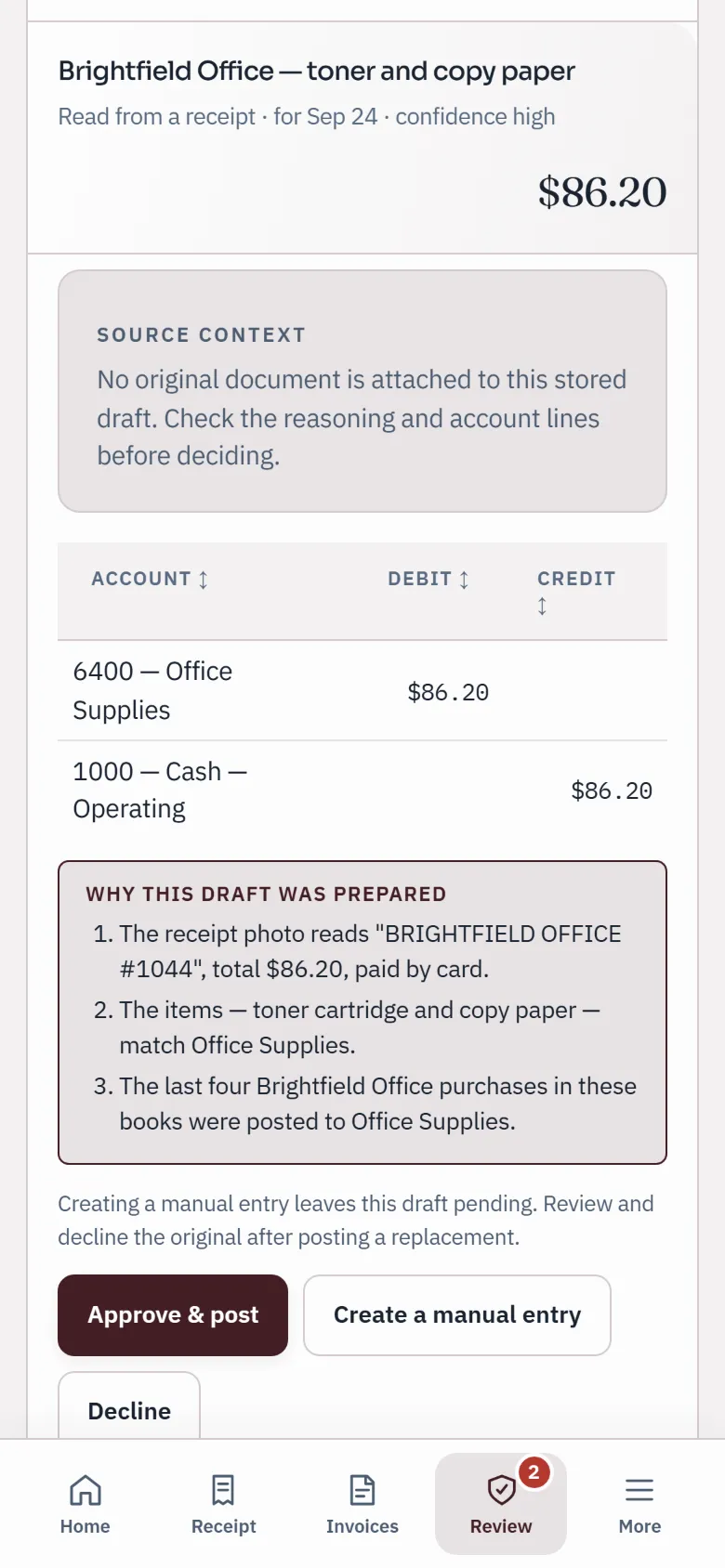
A draft prepared from a receipt on a phone, with its account lines, three reasons and Approve & post, Create a manual entry and Decline buttons.
Sample company · synthetic figures

Every connection

What connects, what is read from a file, and what arrives.

Checked against the product on 24 September 2026. There is no app store and no Zapier connection: the table distinguishes available tools from planned connections.

Every Qetaab connection
What is comparedConnect directlyUpload a report fileWhat arrives in the books
ShopifyComing soon: under release review.Payouts export (CSV).A payout draft for review. Check tax included in gross sales before approval.
AmazonComing soon: under release review.Settlement report (flat file).A settlement draft. Review the source tax and account mapping.
PayPalComing soon: under release review.Activity export (CSV).A monthly draft. Review transfers and expenses separately from sales.
Walmart MarketplaceComing soon: under release review.Not available yet.No direct import available in the pilot.
EtsyComing soon: under release review.Monthly statement (CSV).A monthly draft. Review fees, taxes and adjustments.
eBayComing soon: under release review.Not available yet.No direct import available in the pilot.
StripeComing soon: under release review.Not available yet.No direct import available in the pilot.
SquareComing soon: under release review.Transactions export (CSV).A monthly draft with the tax reported in the file.
Banks and cardsThrough Plaid on the paid plans.CSV, OFX, QFX or QBO statement files on every plan.Transactions for review and reconciliation.
Your own programsThe API, with permissions chosen by an owner or admin.Not applicable.Only the actions authorized by the credential.
ChatGPT, ClaudeComing soon. Not open yet.Not applicable.Controlled access is under acceptance review.

Direct sales-channel connections are not available to customers yet. Qetaab never processes payments or holds your money. Names of other companies are their trademarks; Qetaab is not affiliated with any of them.

Sales channels

Read the report. Review the draft.

A payout is not revenue: it is sales minus refunds, fees and sometimes tax. Review the breakdown before it reaches your books.

  • Direct connections are coming

    Provider integrations are built but still under durability and accounting review. Do not set up credentials for them yet.

  • Upload a supported report

    Choose the report exported from your channel. The table above lists the file types available today.

Banks and cards

A live feed on the paid plans, a statement file on every plan.

Plaid · live

Transactions arrive on their own, and still wait for you

Connect a bank or card account through Plaid on the paid plans (3 included on Plus, 25 included on Practice). Each account you connect is mapped to its own account in the books, and its transactions land in the same review as an imported statement: matched where the books already have them, categorised by you or by a rule you previewed, and reconciled until the difference is $0.00.

  • Every plan can import CSV, OFX, QFX or QBO statement files instead
  • A transaction the feed already delivered is never imported twice
  • Disconnect at any time; what was already reviewed stays in the books
Import a statement
Reconcile
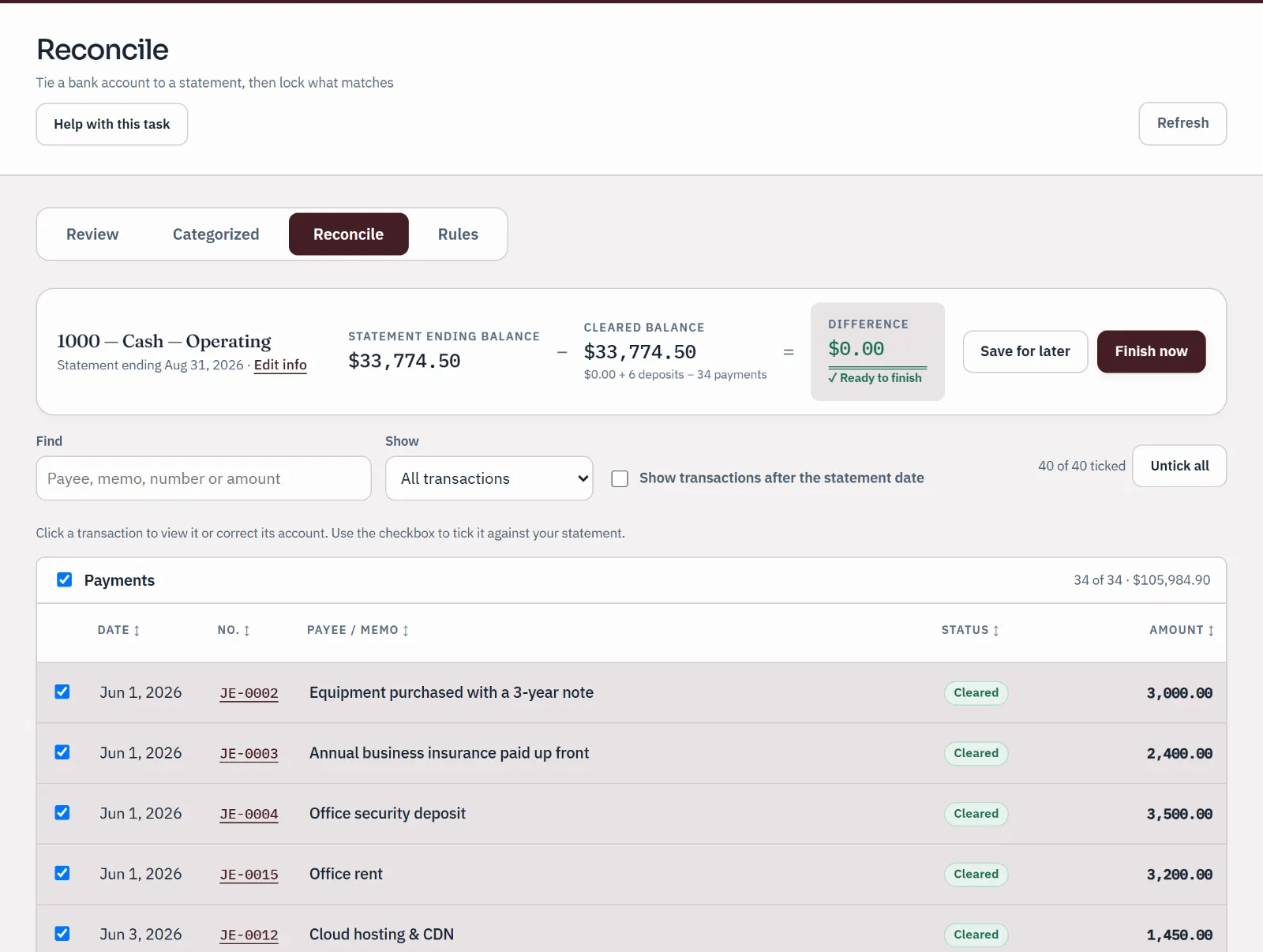
Sample bank reconciliation for the operating account to a statement ending August 31: statement balance and cleared balance agree, difference $0.00, ready to finish.
Sample company · synthetic figuresStatement balance and cleared balance agree: difference $0.00.

Your own programs

An API on every plan. No app store.

  • Keys with a role, or named permissions

    An owner or admin issues a key and chooses what it may do: a role like the people in your team, or exact permissions such as reading reports. A read-only key cannot write, whatever program holds it.

  • The same rules as the app

    Anything a program posts goes through the same door as the screens: balanced entries only, corrections by reversal, and a posted entry never edited or deleted.

AI assistants · Coming soon

Your reports, with the assistant you choose. Coming soon.

We are preparing a connection that will let an AI assistant you already use read reports from your Qetaab books, for the companies you choose. It is not open to customers yet. It has been tested with sample books; testing with real assistant accounts comes next, and this page will say so when it opens.

  • What it will read

    Reports for the companies you choose: company names, trial balances, income statements, balance sheets, changes in equity, customer and vendor aging, fixed assets and depreciation schedules, leases, revenue contracts, the allowance for doubtful accounts and the notes to your financial statements. The figures come from the same reports you see in Qetaab; the assistant is not asked to work out its own. Reports can include names and notes your accountant wrote, so read the assistant provider's data policy before you connect.

  • What it will never do

    It will not post, edit or delete entries, send invoices or messages, move money, run payroll, file returns, close a period or change who has access. It cannot approve anything by itself. If a later version lets it suggest a change, such as a new invoice, the suggestion will wait in Qetaab until a signed-in person with permission reviews the exact change and approves or rejects it.

  • How you will approve and remove access

    You will add Qetaab in your assistant's connection settings, then sign in to Qetaab. A consent page lists your companies and the kinds of access requested, with nothing selected; only what you tick is shared, and companies you add later are not included automatically. You never paste a password, API key or security code into a chat. In Settings, each connected assistant is listed with the companies it can read, when it was last used and when its access expires; Disconnect stops it straight away, though it does not erase information the provider has already received.

Plain answers

Questions about connecting.

Does anything post to my books on its own?

No. A sales channel payout, a bank feed transaction or a report file each becomes something waiting for a person: a draft in Approvals, or a line in the bank review. A rule you set yourself to add repeating bank lines automatically is your choice, and you preview it first.

Is there an app store or a Zapier connection?

No. Bank feeds connect through Plaid, sales channels currently use report files, and your own programs use the API. If a connection you need is missing, tell us at support@qetaab.com.

Which plan do I need for a bank feed?

A paid plan: 3 included on Plus, 25 included on Practice. On Free, import statement files instead. Paid checkout isn't open during the pilot.

Can I connect an AI assistant today?

Not yet. AI connections are coming soon, and this page will say when they open. Inside Qetaab, where AI is switched on for your account, it can already suggest categories for bank lines, and nothing it suggests is added to your books until a person decides.

Is this the same as appearing in AI search?

No. Search visibility helps people find public information about Qetaab. A connection is an authorized link to your private accounting reports. A directory listing is a separate distribution and review process.

Will I paste a password or API key into a chat?

No. You will use the assistant's connection settings and Qetaab's own sign-in and consent page. Never put passwords, API keys or one-time security codes in a chat.