


Plus
Live bank feeds and AI for your business.
$10 / month$100 / year $10 a month, or $100 a year.
- Live bank accounts
- 3 included
- AI categorisations
- 300 a month
And everything on Free.
Your business. In good order.
Invoices, bills, bank activity and reports in one set of books, shared with your accountant. When money comes in, you see exactly what changed.
Free. No card needed. Or look around first: see it in action, or watch 35 narrated guides.
Where you stand
For your reviewPayment recorded
Recorded: cash up, invoice paid, revenue unchanged.
Cash rises. The invoice is paid. Revenue stays the same: this sale was already recorded.
Interactive illustration. No bank account is connected and no real money moves.
Your bank. Your permission.
Bring bank and card transactions into Qetaab through Plaid. Review what arrives, match what is already in your books, and decide what to record.
How bank connections workYour bank
The accounts you choose to connect. Illustrative bank examples: Chase, Bank of America, Wells Fargo and American Express. Availability depends on your institution and account; check in Plaid when connecting.
Illustrative banks. Availability varies by institution and account.
Plaid
This connection reads transactions. It cannot move money.
Qetaab™Transactions for review
Sample transactions
Each account you connect is mapped to its own account in the books.
Transactions land in review: matched where your books already have them, categorised by you or by a rule you previewed.
What was already reviewed stays in the books.
Live bank feeds are on the paid plans. On Free, upload a bank statement instead. For an Excel or other spreadsheet, save it as CSV first.
US bank connections. Statement-file import is also available. Bank names and marks belong to their respective owners; no bank endorsement is implied.
See it working
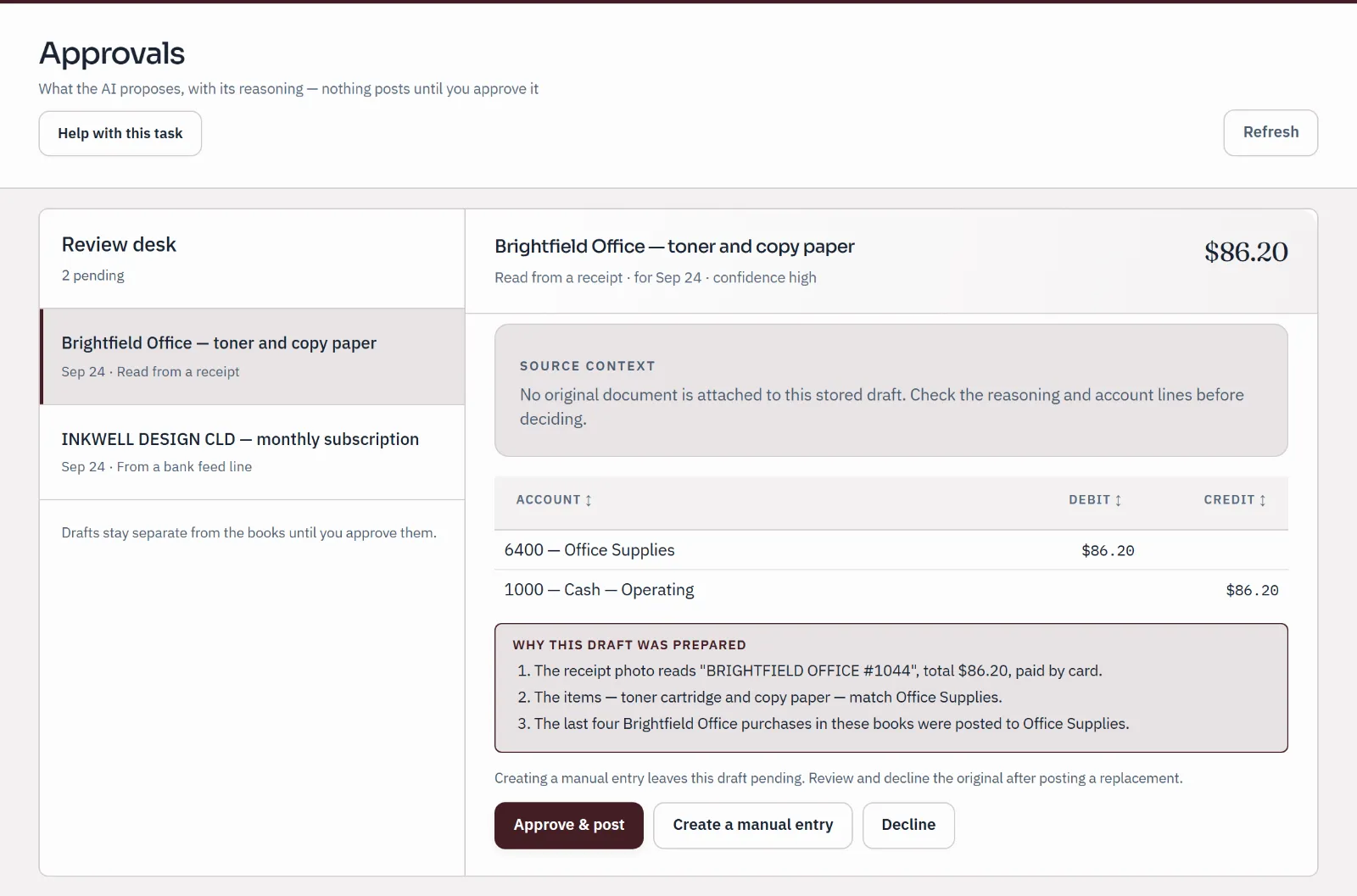
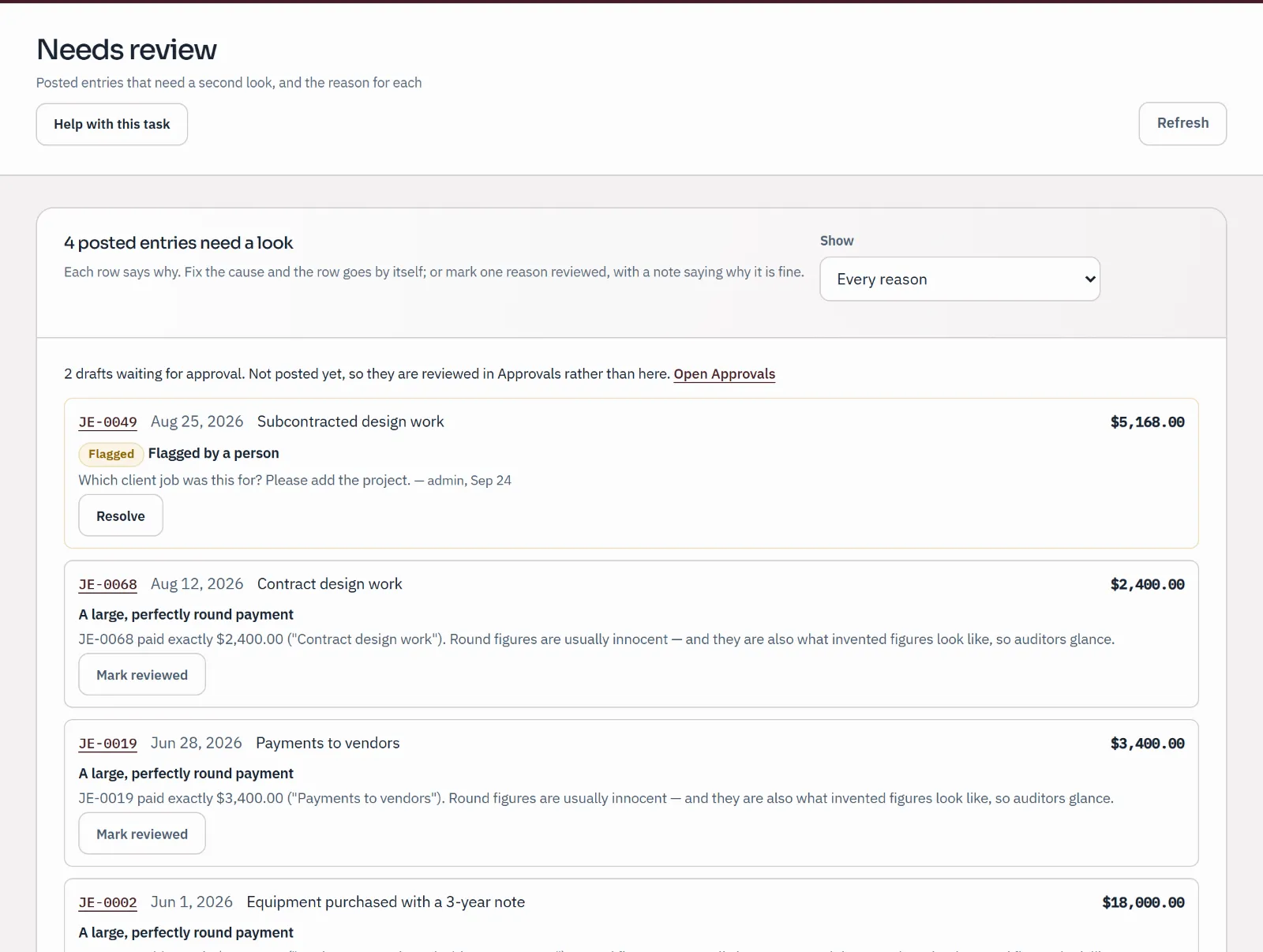
Real screens from sample companies. Nothing here is a customer’s books.
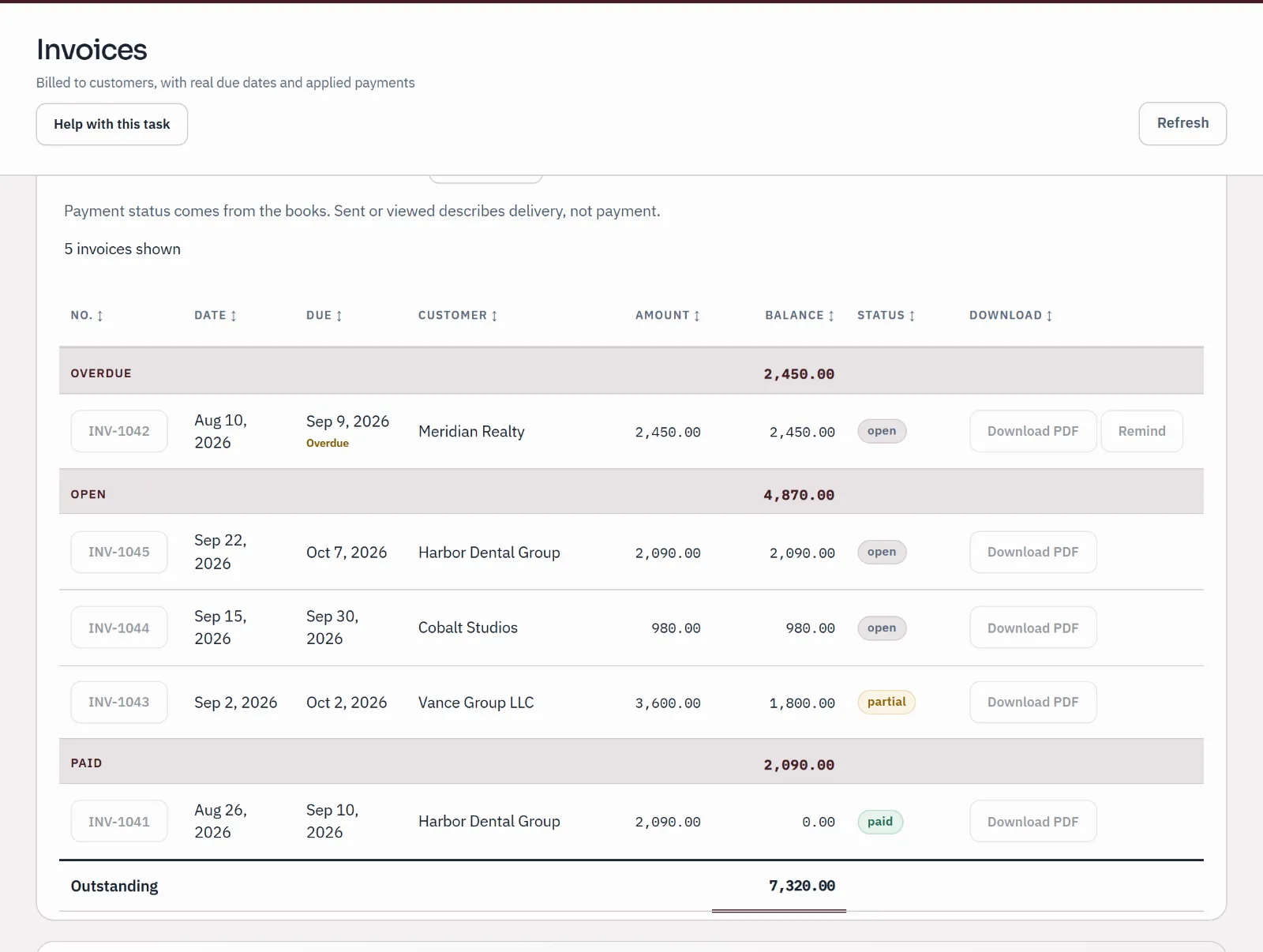
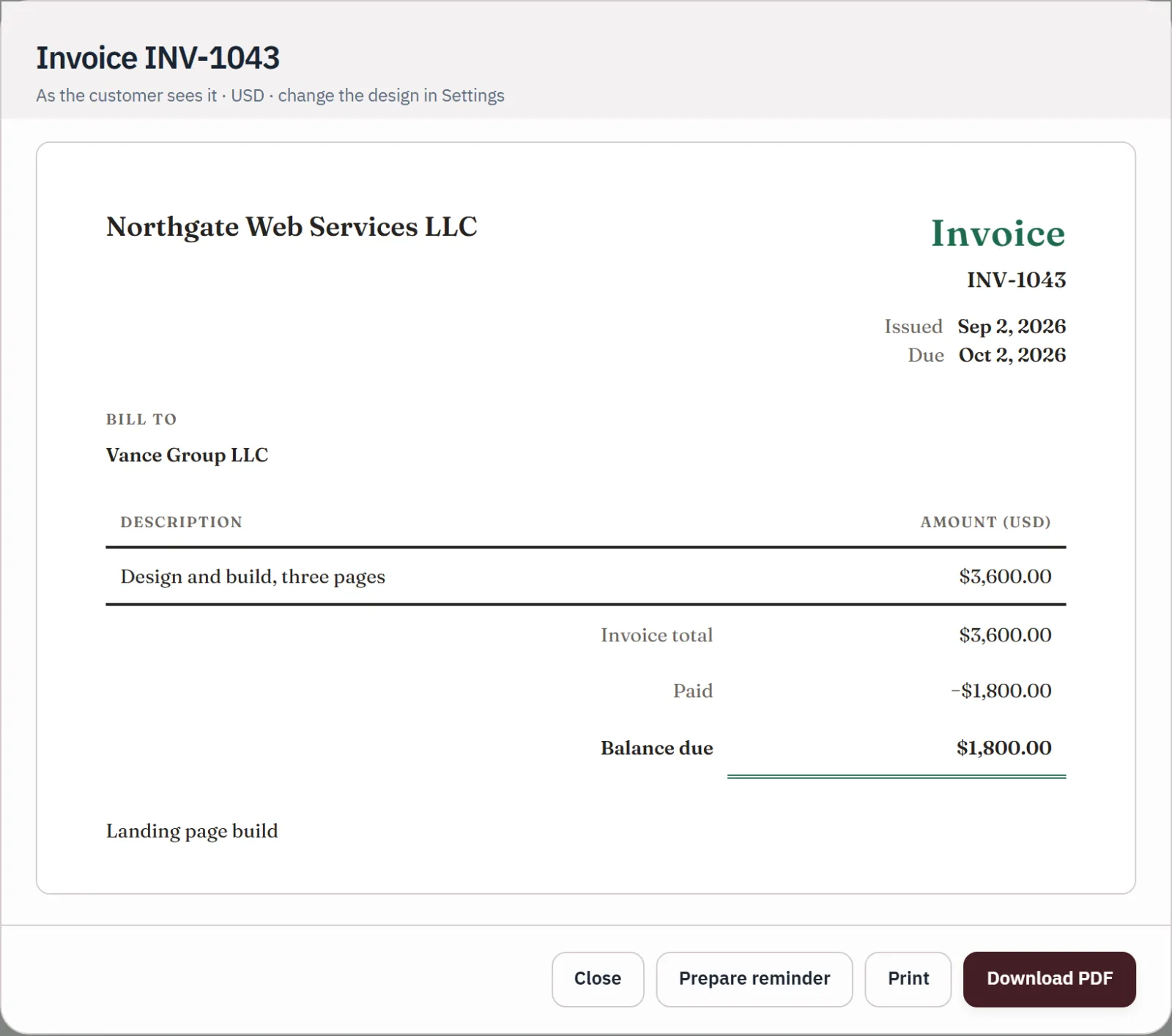
Every invoice shows what was billed, what has arrived and the balance still due.
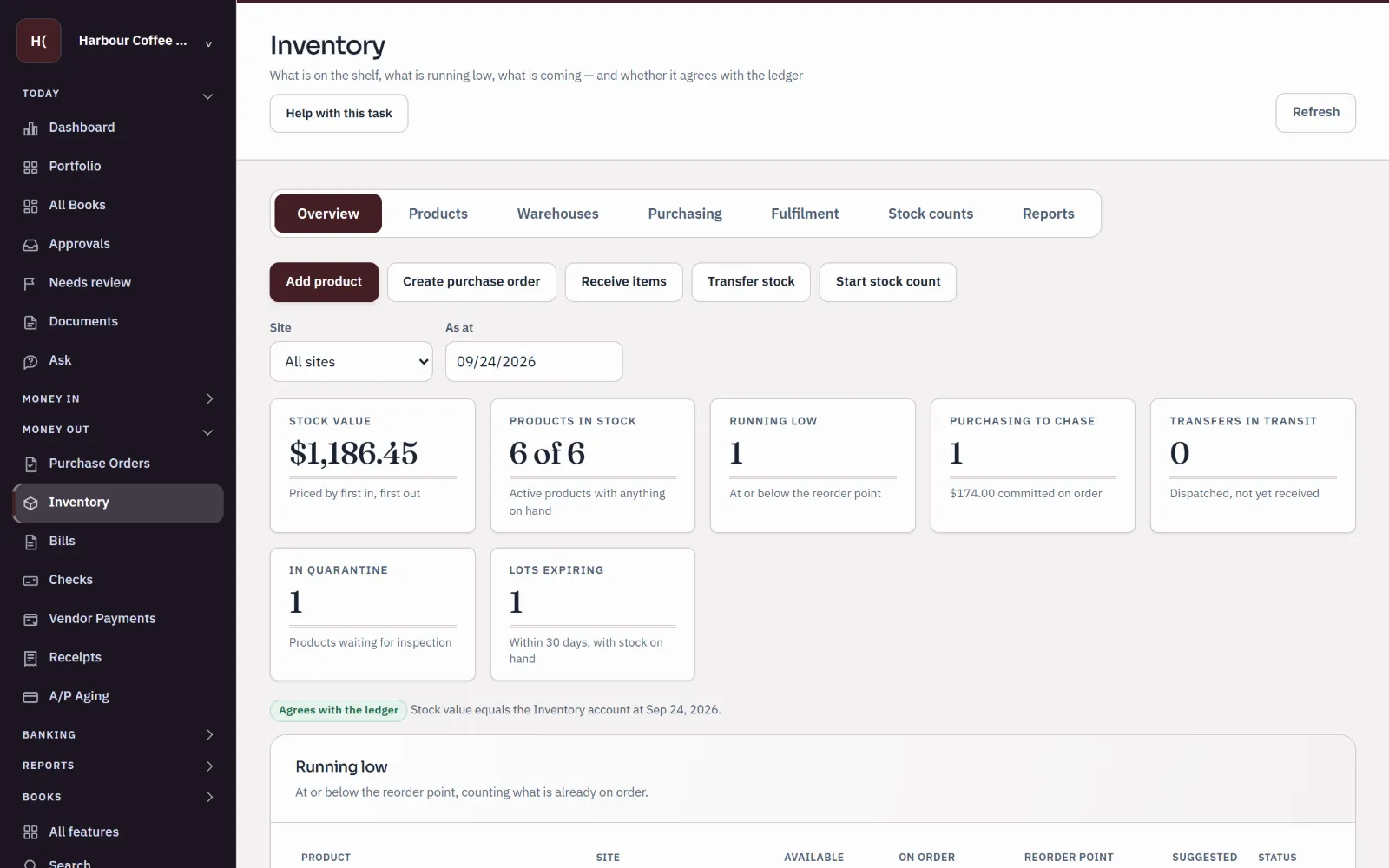
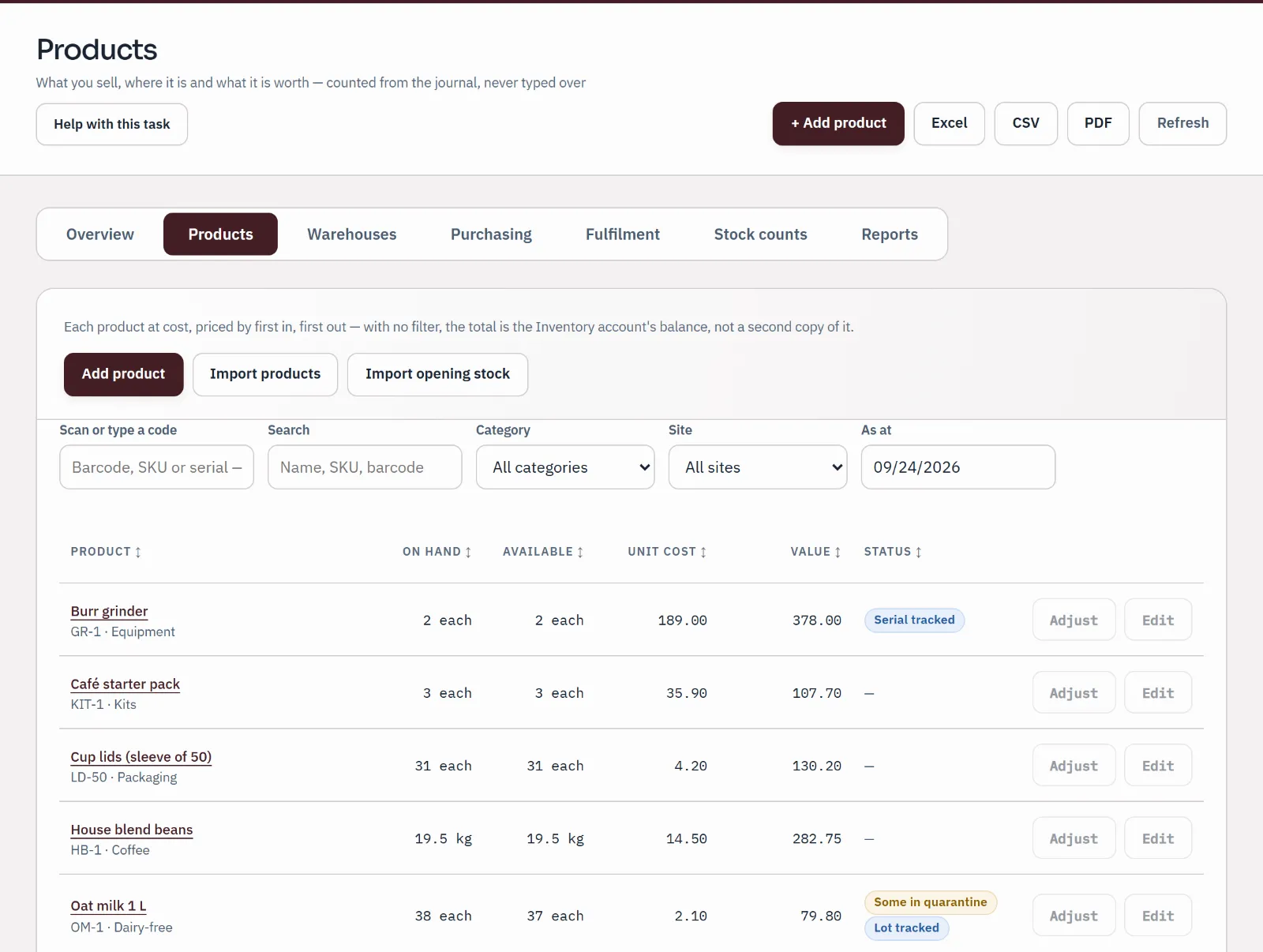
Stock, its value and the things needing attention on one screen, checked against the ledger.
Choose a line on the profit and loss and the ledger opens on the entries behind it.
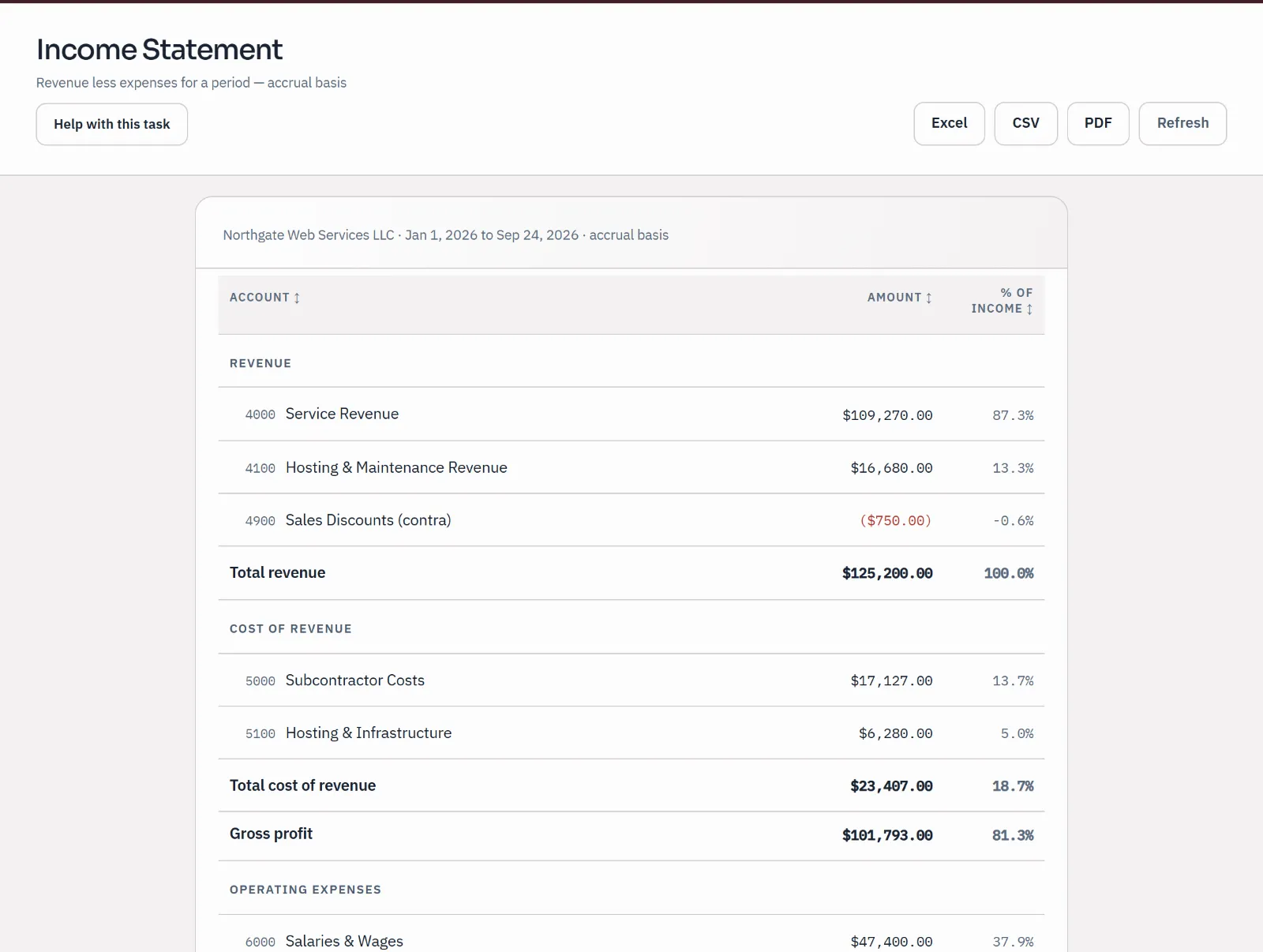
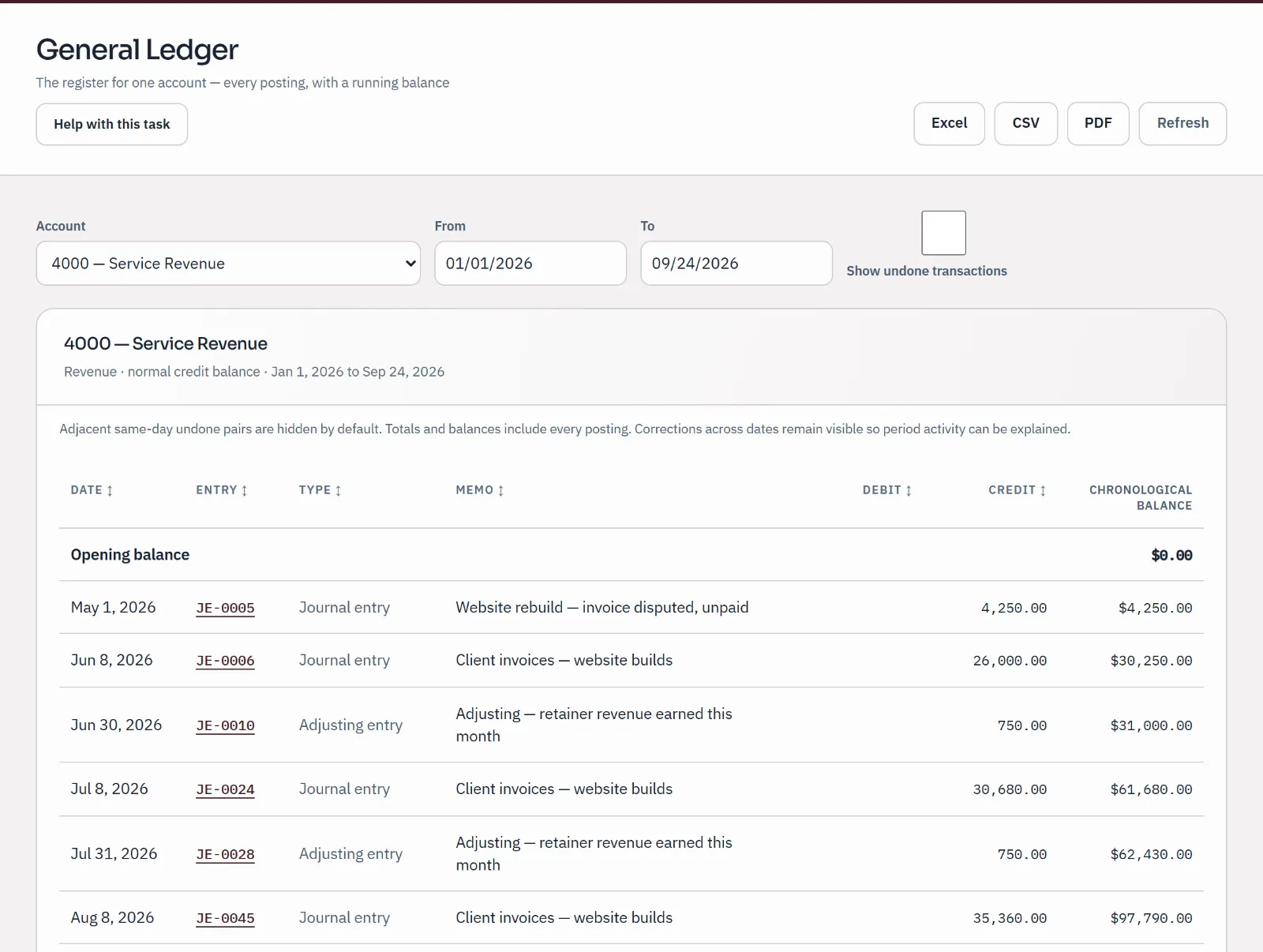
These are the review screens: a draft waiting for a decision, and entries flagged for a second look.
Prefer to watch? 35 narrated guides walk through the same screens, with captions and transcripts.
Inventory
Picking and packing post nothing. Dispatch creates the invoice, and the stock and its cost leave once.
Illustration · sample figures, synthetic product and companies
Sales order · Quayside Café70 × House blend beans, 1 kg bag · SKU HB-1KG · 16.00 a bag
Quayside Café orders 70 bags. They are set aside: still on the shelf, but no longer free to promise.
On hand 120Set aside 70Available 50
In your books Nothing posts
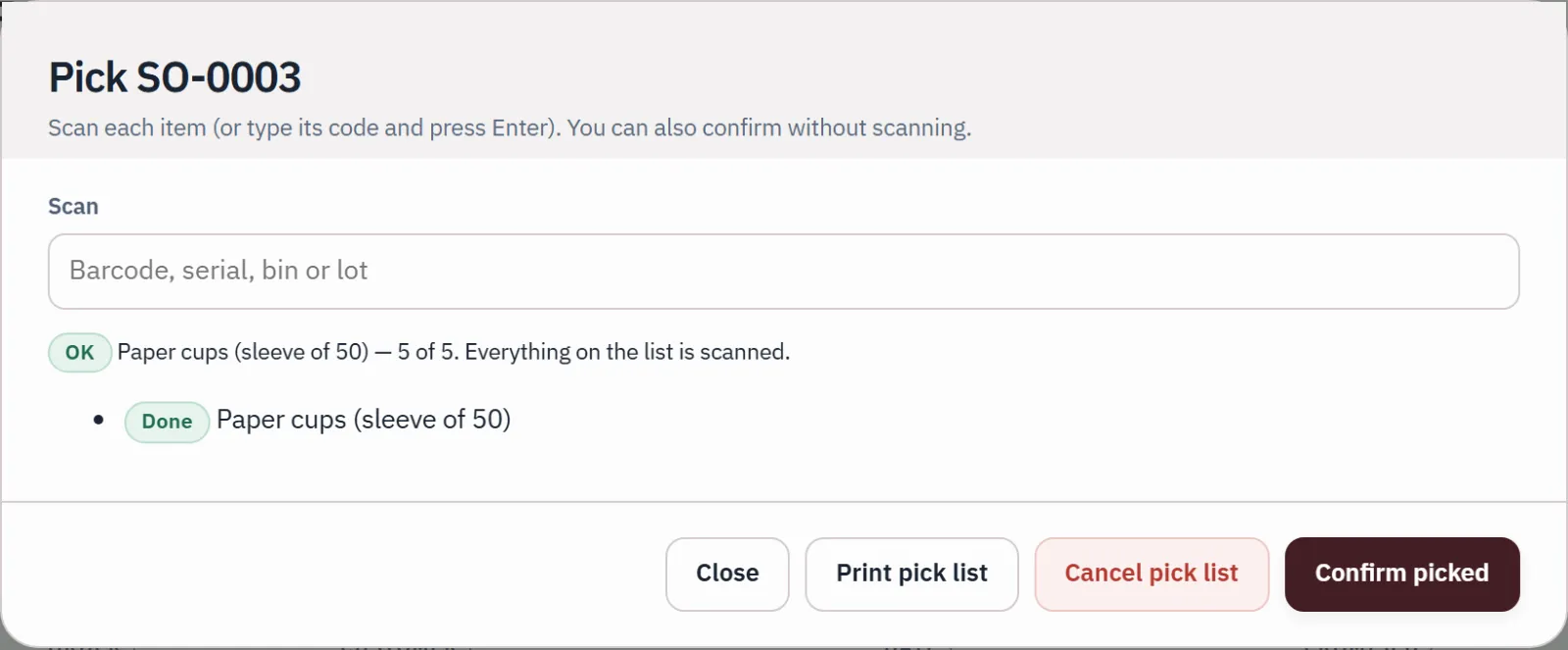
The pick list suggests the lot that expires first. Picking moves bags, not money.
On hand 120Set aside 70Available 50
In your books Nothing posts
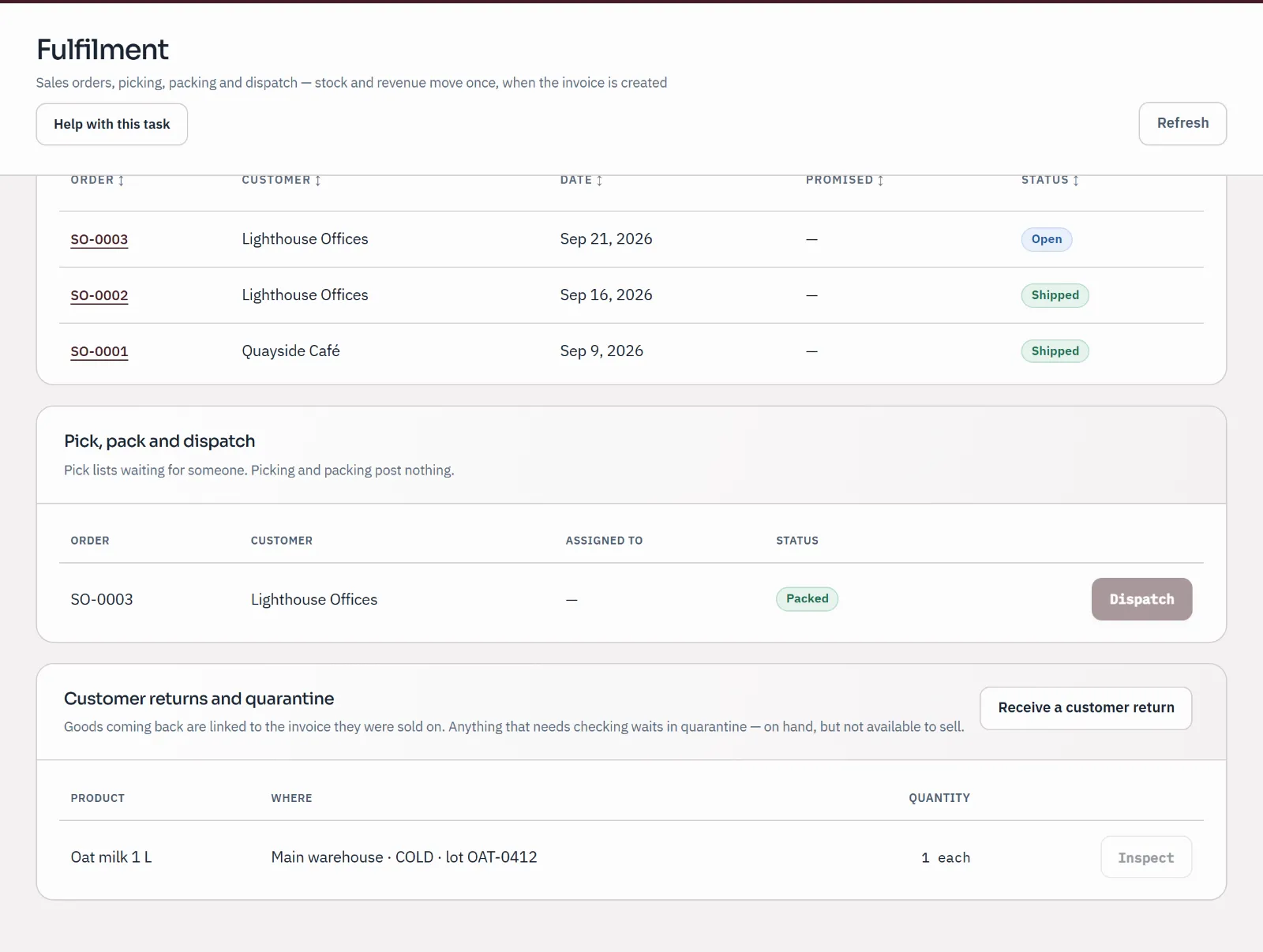
The order is packed and waits to leave. Nothing has reached the books yet.
On hand 120Set aside 70Available 50
In your books Nothing posts
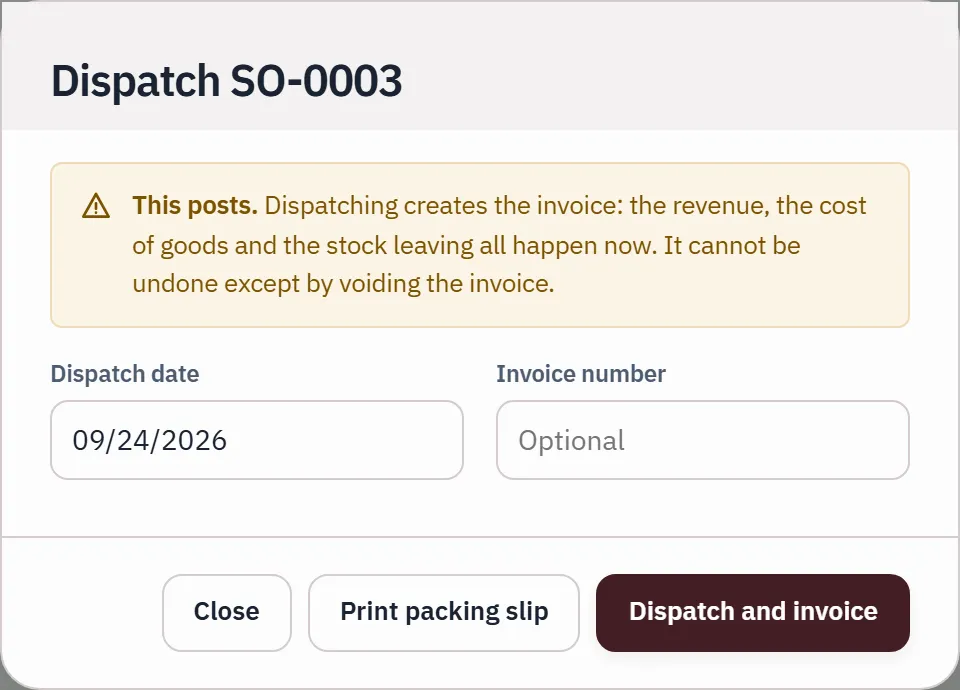
Dispatch creates the customer invoice, and the stock and its cost leave once.
On hand 50Set aside 0Available 50
In your books Customer invoice 1,120.00 · Cost of sales 630.00
Now Dispatch
Dispatch creates the customer invoice, and the stock and its cost leave once.
In your books Customer invoice 1,120.00 · Cost of sales 630.00
The same steps on real screens. A different sample order, SO-0003 at Harbour Coffee Supply, so the figures differ from the illustration above.
You and your accountant
There is one record, and it belongs to the business. Each person works in it with their own role.
Illustration of how access works, not a product screen
Owner
The books
Bookkeeper or admin
Illustration of how access works, not a product screen
Bank lines are categorised by you or by a rule you previewed. AI suggestions wait as drafts until a person approves them, and are on the paid plans.
Pricing
Your books, your people and your accountant cost nothing. Live bank feeds and AI are on the paid plans.
Your own books: invoices, bills, bank statements and reports, with your accountant invited when you choose.
Start free: I run a businessFree. No card needed.
Your practice, and any number of clients’ books, at no charge.
Start free: I’m an accountant or bookkeeperFree. No card needed.
A paid plan will add two things, because each costs money every time it runs: bank and card accounts that bring their transactions in on their own, and AI that suggests categories and reads receipts and statements. Paid checkout and online invoice payments aren't open yet, so these prices describe the planned subscriptions.
Live bank feeds and AI for your business.
$10 / month$100 / year $10 a month, or $100 a year.
And everything on Free.
Live bank feeds and AI across a practice and its clients.
$50 / month$500 / year $50 a month, or $500 a year.
And everything on Free.
Migrating, or bringing a practice across? Talk to us
Prices in USD. AI allowances are shared across your businesses each calendar month. Questions or cancelling: support@qetaab.com.
Plain answers
What we can tell you today, and what we don't claim.
Answered on their own pages
More about Qetaab
People you invite, in the role you choose: owner, admin, bookkeeper or viewer. Viewers can look but can't change anything. On every plan, Free included, you can also give your accountant's practice access and remove it at any time; they lose access at once, and your records stay with you. If Qetaab support ever needs to look, that look is read-only, time-limited and needs a written reason, and it's listed in your Settings under Qetaab support activity.
No. The assistant reads your books to answer questions; it can't post, edit, delete or pay. Suggested categories wait as drafts until a person approves them. AI is on the paid plans, and depends on the AI service being available.
Yes. While your account is open, download reports as PDF, Excel or CSV, save a backup copy of your books, or export them to a supported accounting exchange file. The export lists anything that doesn't come across, so you know before you move.
Access is limited to the people and roles you choose, each company's records are kept apart in the database, and connections to Qetaab are encrypted. We don't publish security certifications or a promise about where every copy of your data is kept. If either matters for your business, email support@qetaab.com before you move your books.
Start with the help centre: step-by-step guides for everyday work, each showing when its steps were last checked in the app. For anything else, email support@qetaab.com. Support is by email.
Next step