For online sellers

The payout is not the sale. Your books should know.

Your sales channel pays you a net amount. Upload a supported report to see a draft of the sales, refunds and fees behind it. Review the accounts and tax treatment, approve the draft, then match the bank deposit. Direct connections are coming soon.

Free. No card needed. Accountant or bookkeeper? Start through the accountant door.

Approvals
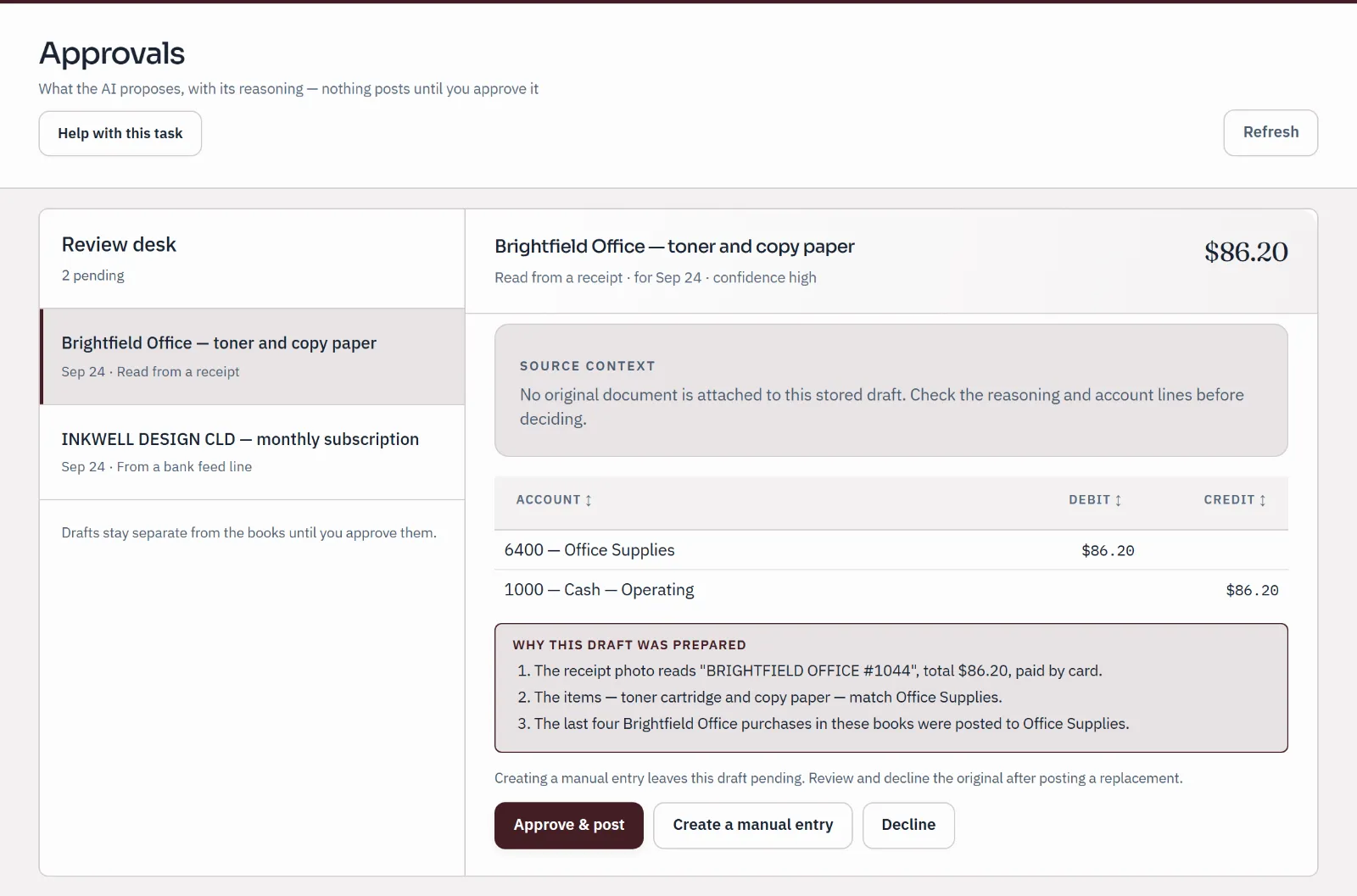
Approvals review desk: a draft prepared from a receipt, with its account lines and three reasons, waiting for a person to approve, change or decline. Nothing posts until approved.
Sample company · synthetic figures
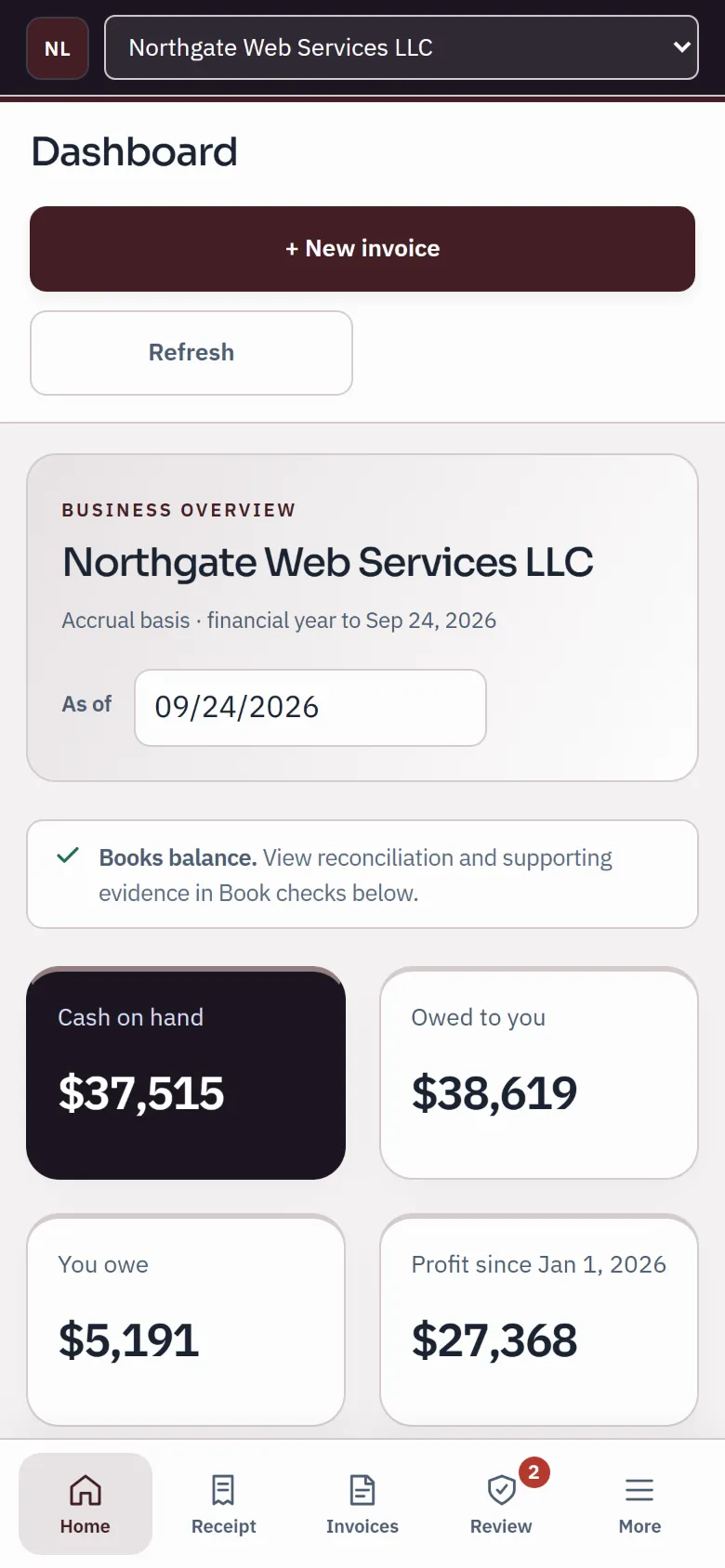
The sample dashboard on a phone: cash on hand, owed to you, you owe and profit, with the phone task bar.
Sample company · synthetic figures

The payout problem

Why a seller's books go wrong, and how these stay right.

  1. 01

    The deposit is not the sale.

    A deposit of $8,864, say, can be $9,600 of sales minus refunds, fees and, on some channels, the sales tax you collected. Book the deposit as revenue and your books are wrong all year.

  2. 02

    Every order is too much.

    A supported payout or monthly report can give you a useful summary while the underlying orders stay with your sales channel. Your accountant can help choose the right level of detail.

  3. 03

    One honest entry per payout.

    The report becomes a draft with its breakdown shown. Review the accounts, adjustments and any tax before approval. The net goes to a clearing account for that channel.

  4. 04

    The bank closes the loop.

    When the deposit arrives on your bank statement or bank feed, it matches the clearing balance. A deposit with nothing to match is a payout you have not read yet.

Available today

Upload the report you already download.

Supported report imports are available now. Direct connections remain under release review.

  • Review before you retry

    Check existing drafts and posted entries before importing a period again. Duplicate checks help with repeated reports; they do not prove that different files contain different activity.

What a payout becomes

From the channel's deposit to books your accountant trusts.

Real screens from a sample company. The Approvals desk and the bank review shown are the same screens a payout draft and its deposit go through.

Step 1 · Approvals

One draft per payout, waiting for you

Each payout becomes one drafted entry in Approvals with its arithmetic as the reasons: what the channel paid out, the gross sales it came from, the refunds, the fees, and the sales tax where the channel reports it. Approve it, change it or decline it. Nothing posts until a person does.

  • A payout whose parts do not add up to its total is refused, never adjusted to fit
  • Once posted, a mistake is corrected by reversal; the original stays on the record
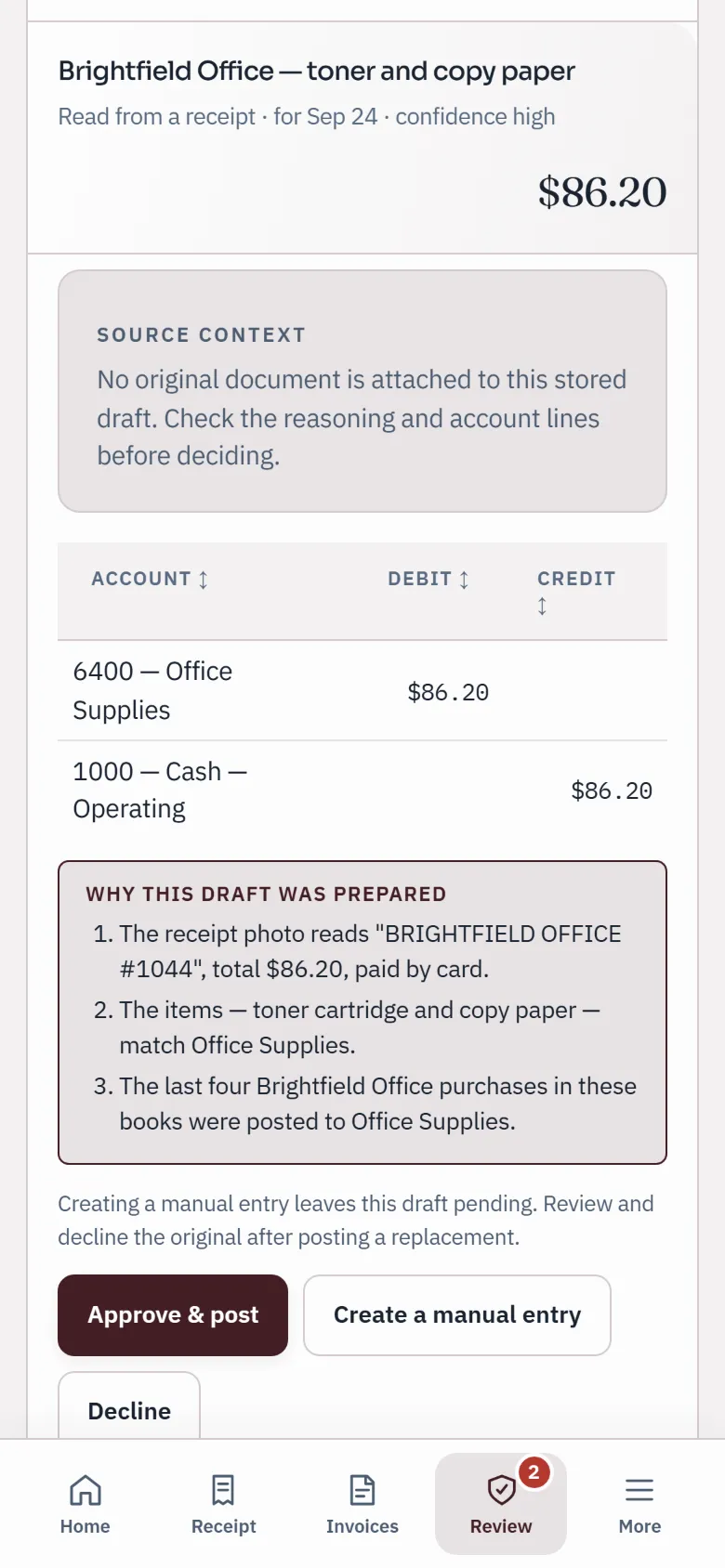
Approve a draft
A draft prepared from a receipt on a phone, with its account lines, three reasons and Approve & post, Create a manual entry and Decline buttons.
Sample company · synthetic figures

Step 2 · The bank

The clearing account, emptied by the deposit

The net of every payout lands in a clearing account for that channel, such as Shopify Clearing. When the deposit shows up in your bank statement or bank feed, match it to that balance and the clearing account returns to zero. A balance the bank never pays is a question for the channel, not a guess in your books.

  • Statement files (CSV, OFX, QFX or QBO) on every plan; live bank feeds through Plaid on the paid plans
  • A line already in the books is matched, not posted twice
  • Reconcile until the difference is $0.00
Reconcile a bank account
Bank import
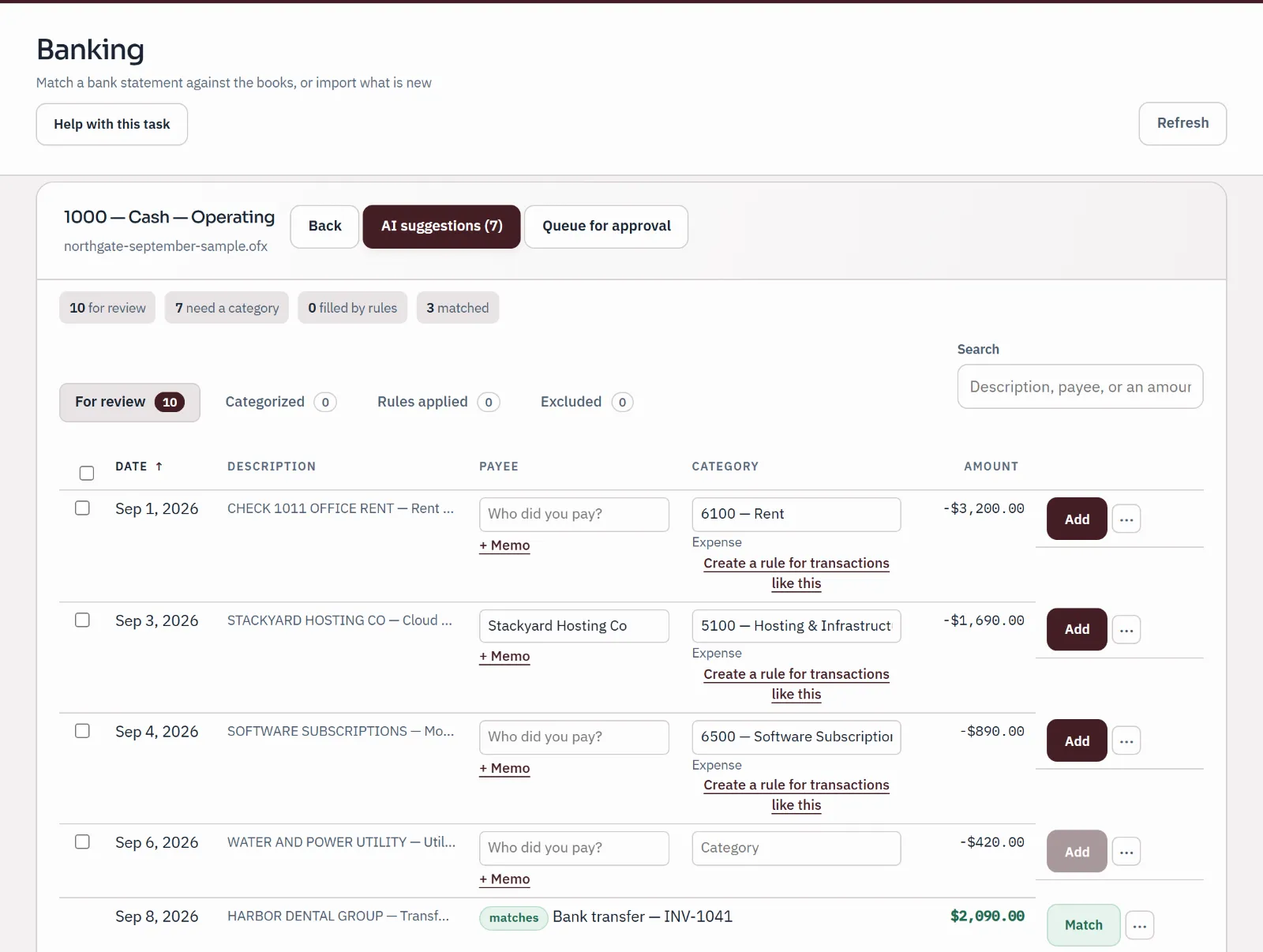
Sample bank statement import under review: ten statement lines, three matched to entries already in the books, three given a category by a person and the rest still waiting.
Sample company · synthetic figuresA statement under review: lines already in the books are matched, the rest categorised or held for a person.

Step 3 · Your accountant

The same books, seen from the practice

On every plan your accountant's practice opens the same books: the same drafts, the same clearing accounts, each channel's sales on its own line of the profit and loss. A question about an entry is asked on the entry and stays with it.

  • Each channel gets its own sales and clearing accounts the first time a payout is read
  • Fees go to one merchant-fees account, refunds to one refunds account
  • Remove the practice's access at any time; your records stay with you
Qetaab for accountants
Needs review
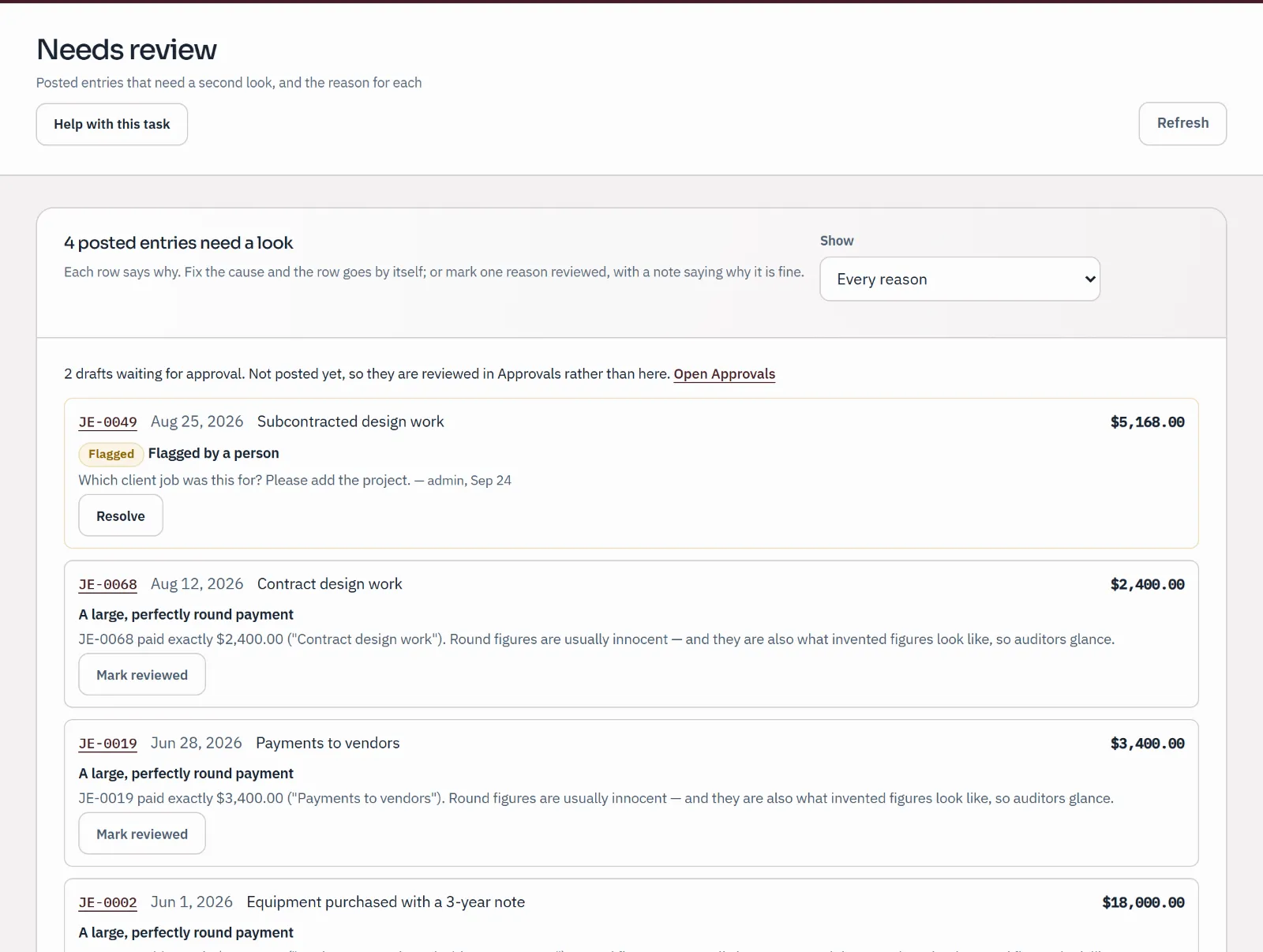
Needs review inbox: an entry flagged by a person with the question "Which client job was this for?", followed by entries the books raise for a second look, each with a reason.
Sample company · synthetic figuresAn entry flagged with a question for the owner, and entries the books raise for a second look.

Sales tax and the honest limits

Tax where the channel reports it. Said plainly where it doesn't.

  • Where the channel separates tax

    Amazon settlement files and the Square transactions export include tax fields. Check what the marketplace collected or remitted and review the draft mapping before posting.

  • Where it doesn't

    Where a report does not separate collected tax, gross sales may include it. Review and correct the draft with your accountant before approval.

Pricing

Start free. Add live bank feeds and AI on Plus.

Free covers your books, your people and your accountant, with no card needed. Plus, at $10 a month, adds live bank feeds, so the deposits arrive on their own, and AI.

  • Free

    FreeNo card needed

    For a business owner, or an accountant and every client.

    Unlimited businesses and people. Your accountant included.

  • Plus Usually fits

    $10 a monthor $100 a year

    Live bank feeds and AI for your business.

    Live bank accounts: 3 included. AI: 300 a month.

  • Practice

    $50 a monthor $500 a year

    Live bank feeds and AI across a practice and its clients.

    Live bank accounts: 25 included. AI: 3,000 a month.

Every limit and the payment terms

Paid checkout isn't open during the pilot.

Plain answers

What online sellers ask first.

Does Qetaab take payments or hold my money?

No. Qetaab reads what Shopify, Amazon, PayPal and the others paid you and turns it into entries. It is not a payment processor and never touches the money.

Does it bring in every order?

No. Supported files produce a draft per Shopify payout or Amazon settlement, and monthly drafts for PayPal, Etsy and Square reports. The source orders stay with the channel.

What if I sell on more than one channel?

Each channel gets its own clearing account and its own sales account, created the first time a payout from it is read, so the profit and loss shows each channel's sales on its own line. Refunds and fees share one account each.

Can a payout be booked twice?

Repeated-report checks reduce duplicates, but you should still check existing drafts and entries. Do not import overlapping periods through different reports or accounts without reviewing the overlap.

Which plan do I need?

Start on Free: no card is needed, and your accountant can join you there. Live bank feeds, which bring the deposits in on their own, are on the paid plans. Paid checkout isn't open during the pilot.

Which channels aren't here yet?

Direct connections are coming soon. Walmart, eBay and Stripe report imports are not available yet. There is no app store or Zapier connection; tell us which one.