
Corrections
Void or reprint a check
A spoiled or lost check is voided or reprinted without a number ever being issued twice.
- Who this is for
- Owner, admin or bookkeeper.
- Before you start
- The check in the Register.
- Availability
- Available in the hosted app and the local build.
Steps
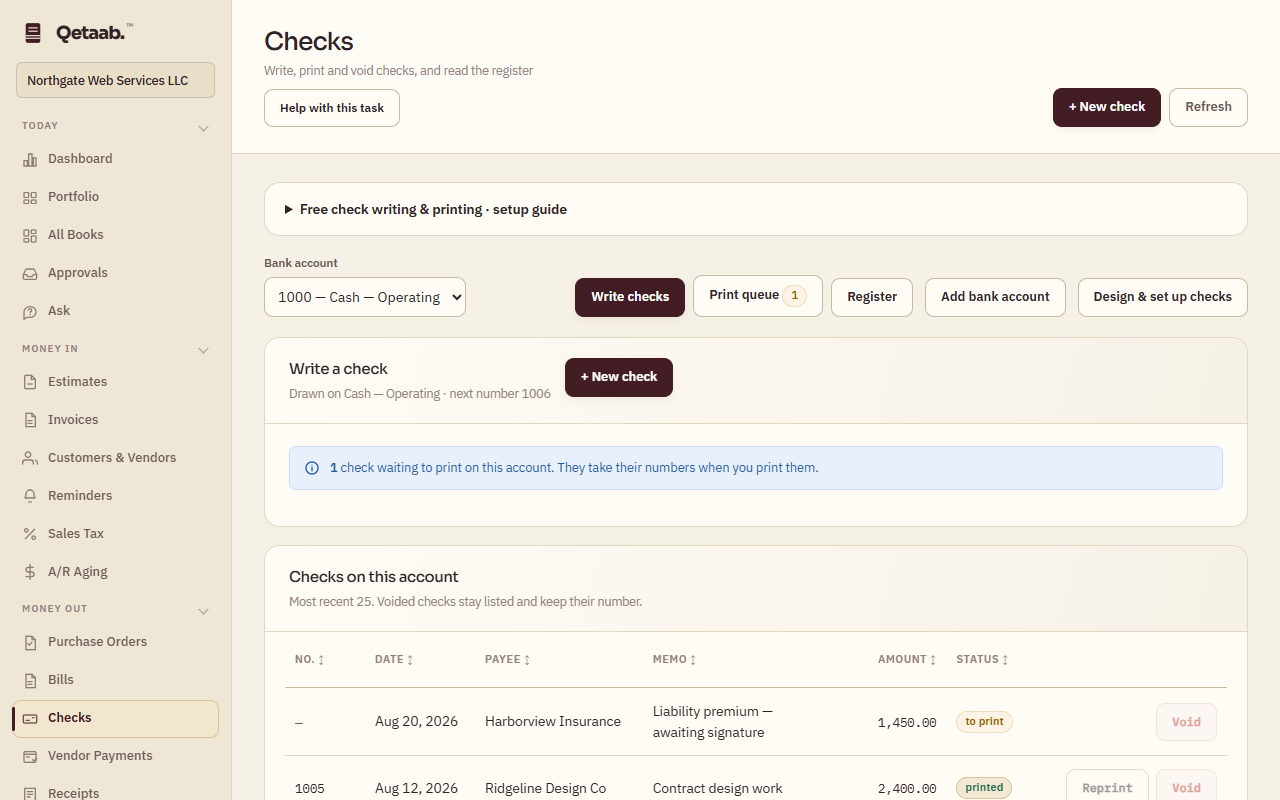
- Open Checks and choose Register. Choose the bank account and, if needed, the From and To dates to find the check.
- Choose Void on a check that must not be paid. The payment entry is reversed; the number stays in the register marked void and is never reused.
- Choose Reprint on a check that printed badly or was lost. It goes back in the print queue with a new number; the old number is retired as spoiled.
- Open Print queue to print it again, and confirm the numbers when asked whether the checks printed correctly.
- Check Register under Reports lists every number, including gaps, for your records.
What you should see
The register shows the void or the reprint with its new number; the vendor balance and bank account reflect the correction.
If it goes wrong
If the check has already cleared the bank, do not void it in Qetaab — the money left. Record what actually happened (a refund, or a second payment) instead.
What it looks like
Related guides
Steps checked in the app on 2026-09-21. This guide describes how the software works; it is not accounting, tax or legal advice. Need a hand? Email support@qetaab.com.
All guides →